Set up kwieb with non-Dutch speaking parents
When parents do not master the Dutch language, this can sometimes cause problems in communication. Fortunately, there is Kwieb! With the Kwieb translation function you speak all languages.
Kwieb start
With this simple step-by-step plan you can easily help the foreign-speaking parent with the installation and registration of Kwieb.
Step 1: Download the App
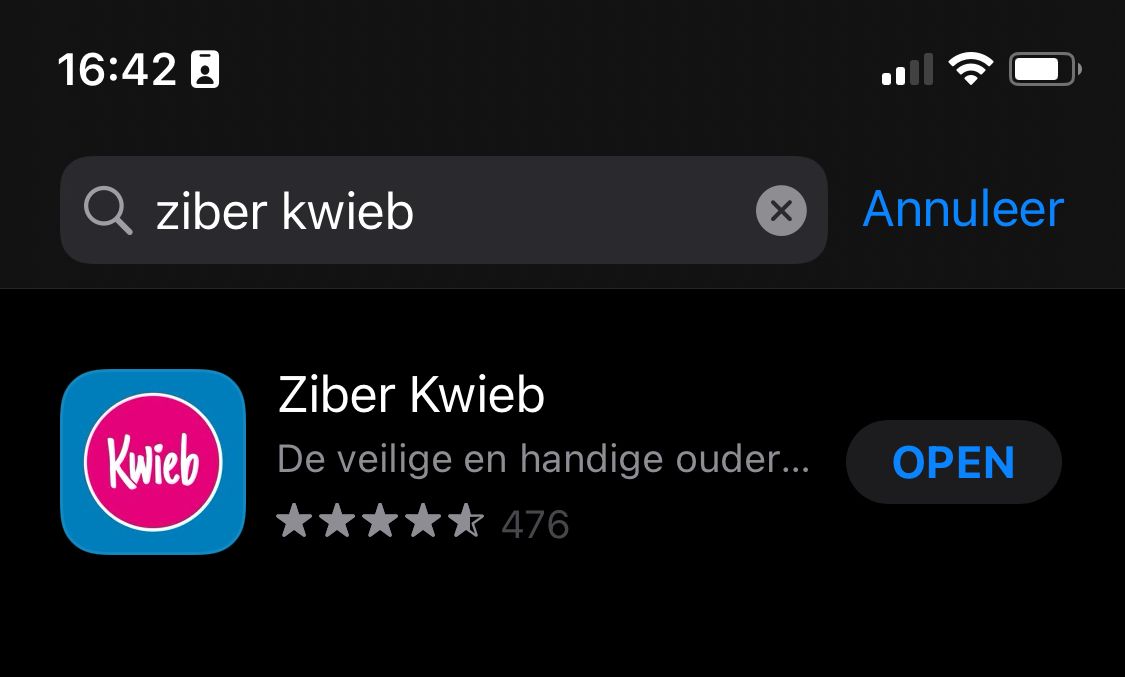
Download the parent in the App Store by searching for Ziber Kwieb.
Or use the web version kwieb.ziber.eu
Step 2: Register the account
The app automatically opens in the default language of the parent's phone. This means that Kwieb can be displayed in a different language.
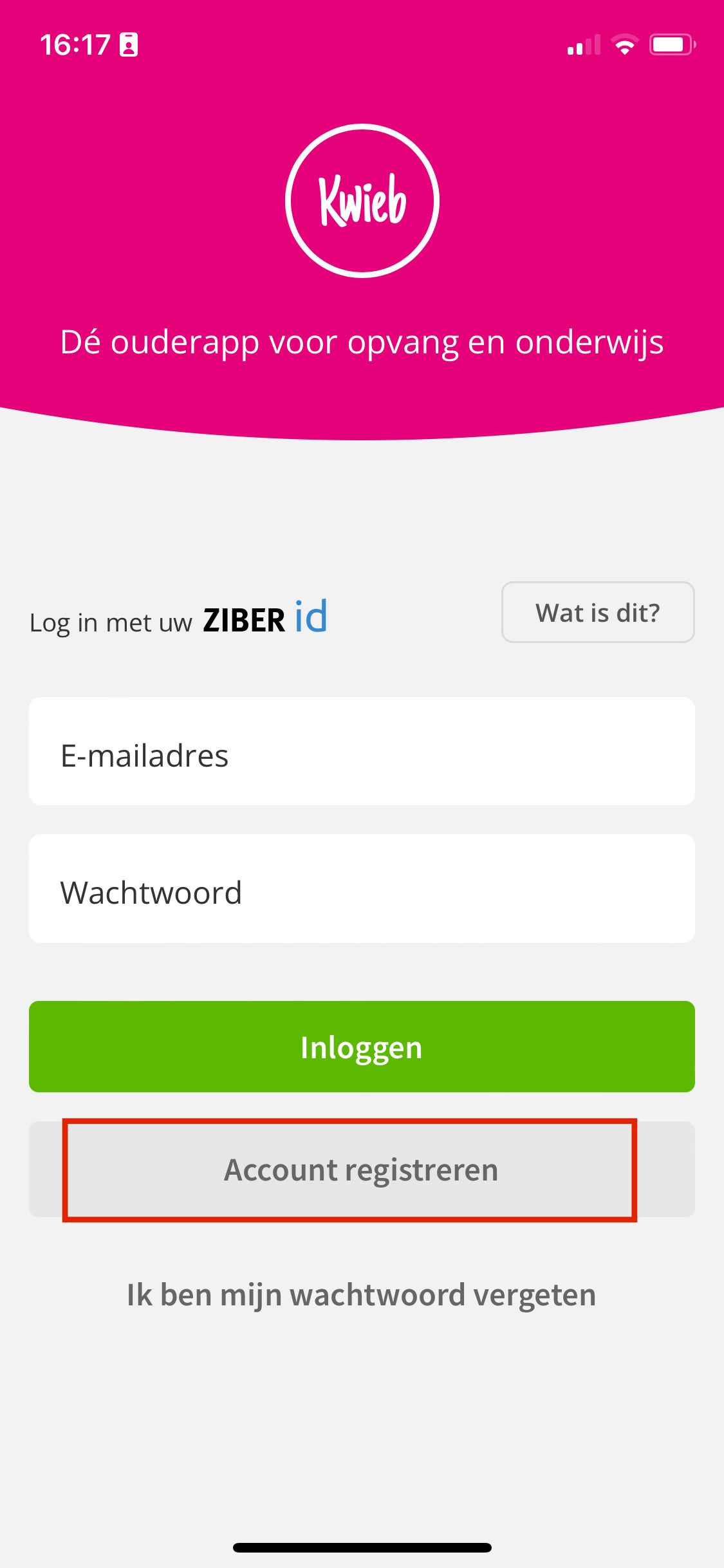
To register a new account, the parent clicks on the bottom gray button: Register account.
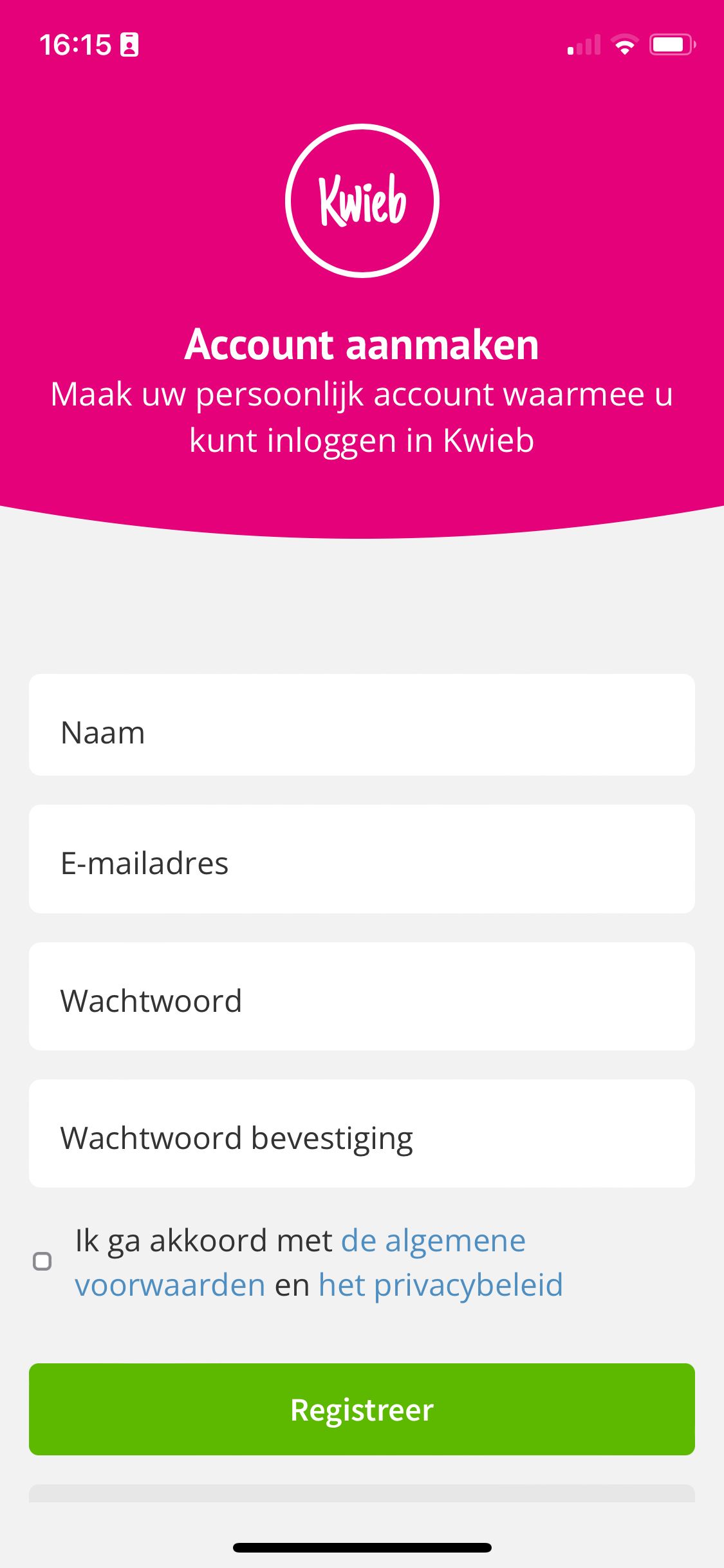
You will then be asked for some information:
- Name
- E-mail address
- password
- Confirm Password
- Agree to the terms and conditions and privacy policy
- Finally click on the green Register button
Step 3: Link the child to the app
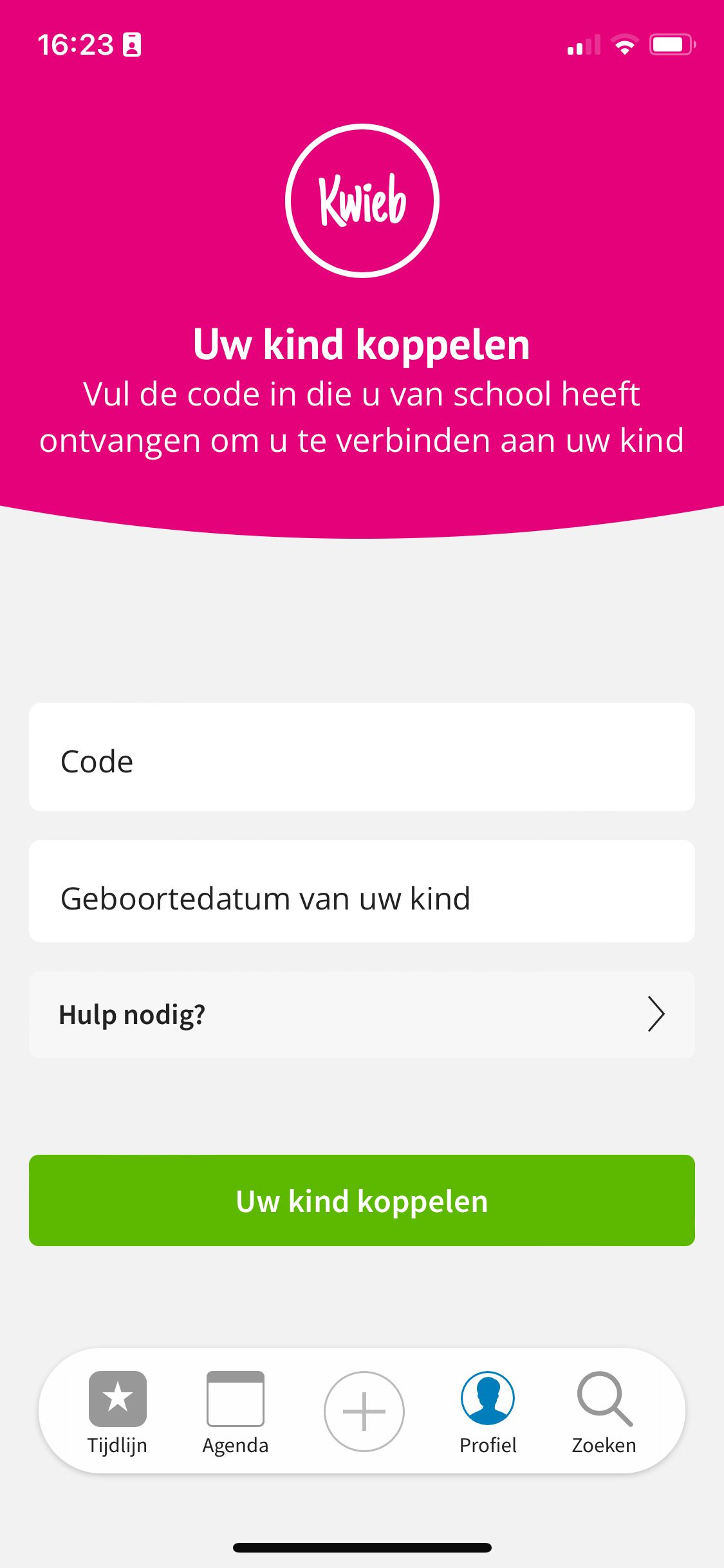
- The parent adds the code provided by the school.
- The parent enters the child's date of birth .
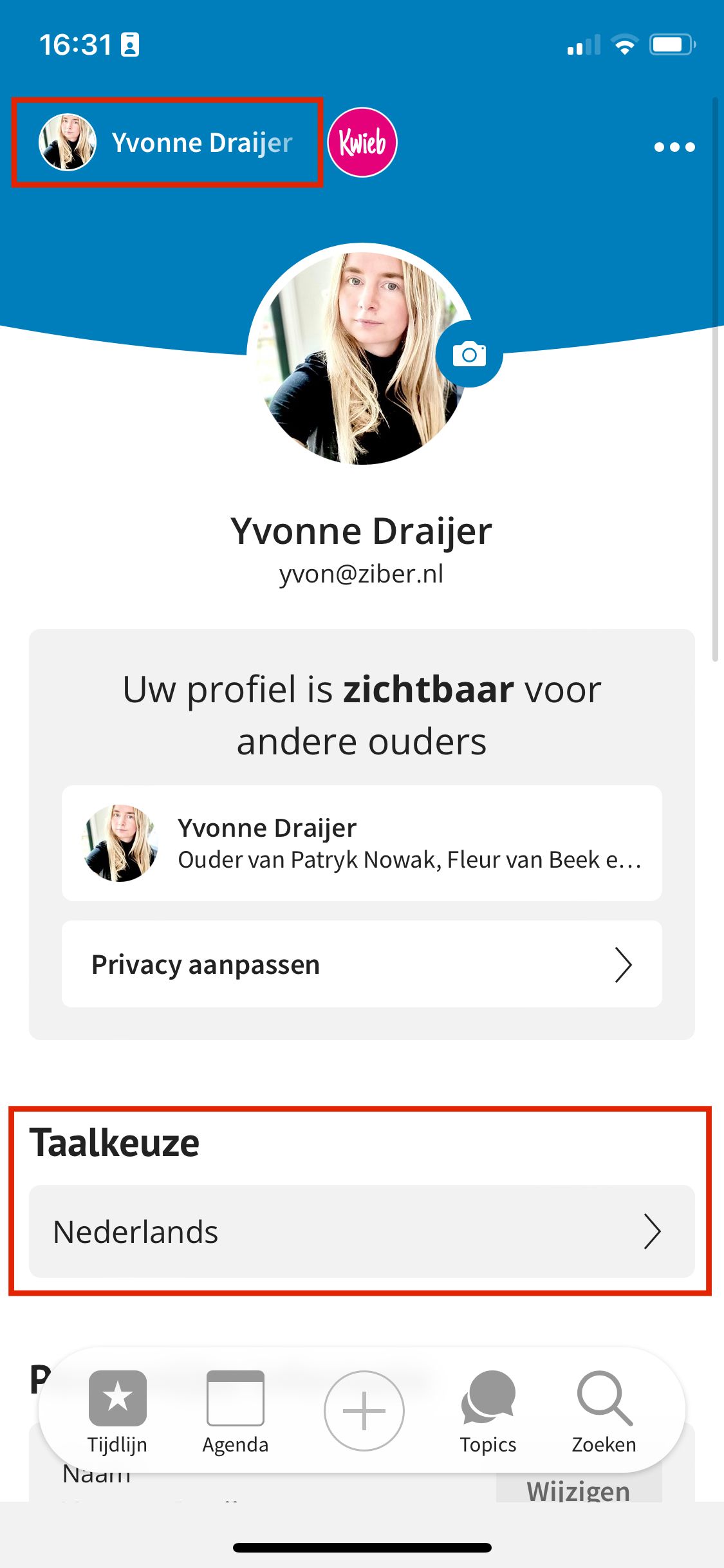
Step 4: Language Settings
In the parent's profile (top left) the language can always be changed under the Language selection heading.
Step 5: Kwieb .'s handy translation function
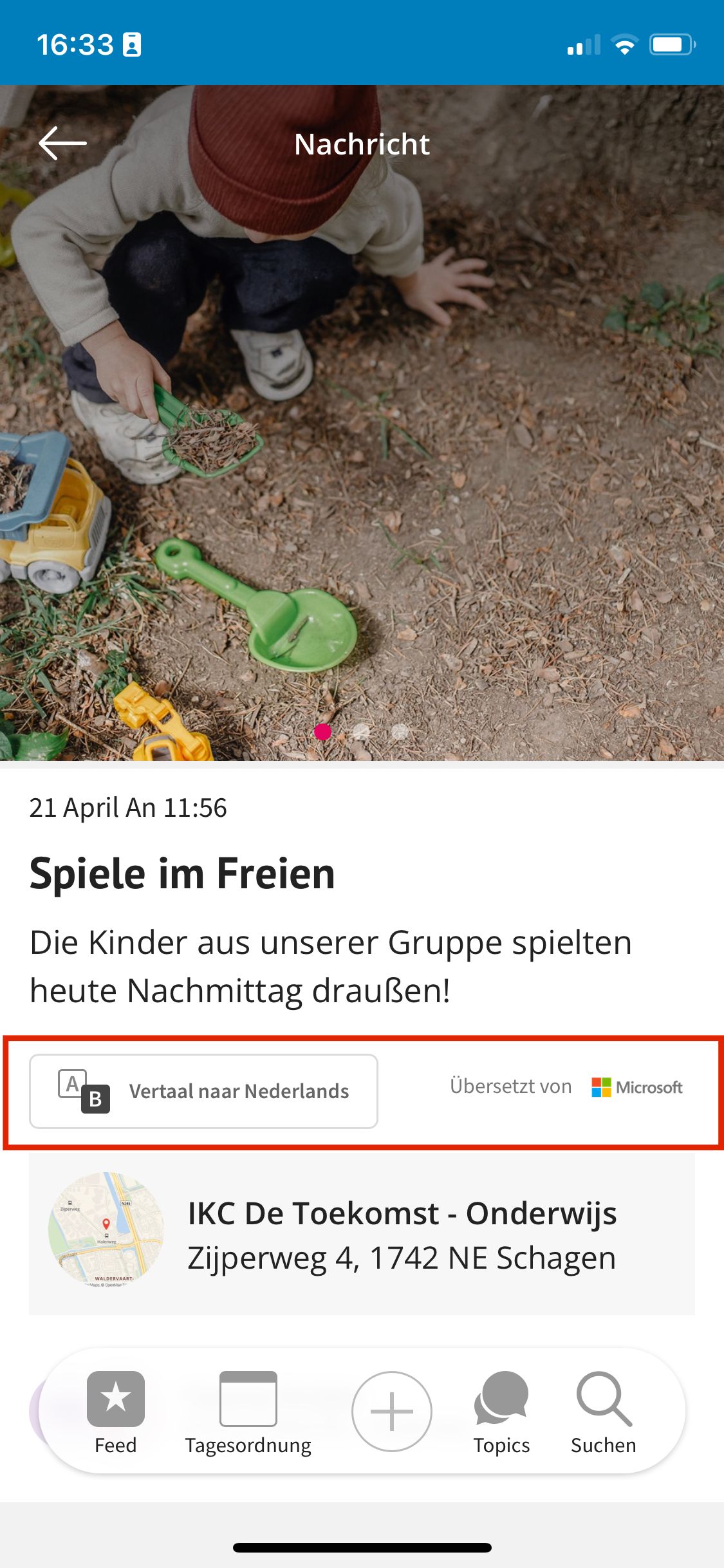
When the school sends the parent a message, the message is automatically translated into the parent's preferred language. The parent reads the message in their own language and can optionally change the message to the original language.
Need more help?
Watch our English explainer videos
Activate account
Translate
Of course you can also contact the Ziber support team
Call 0224 290989 or email support@ziber.nl