Change description of relationship to child ("Parent of")
When you use Kwieb as a parent and you have linked a child, you are automatically known in the app as "parent of" the child. It is of course possible that you are not the parent of the child, but rather the caregiver, stepparent or, for example, family member. You can change this yourself, so that other Kwieb users see your role in relation to the child in the right way, just like the school team sees it in the right way.
Change "Parent of"
To change the relationship description to the child in Kwieb, go to your profile at the top left and scroll down where the linked children are.
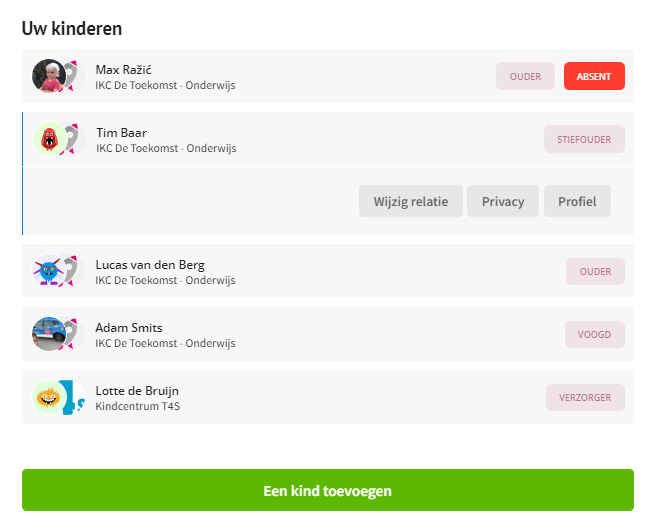
You press on the relevant linked child and see the button "change relationship" appear. When you press it, you can choose from a list of descriptions that best suits you:
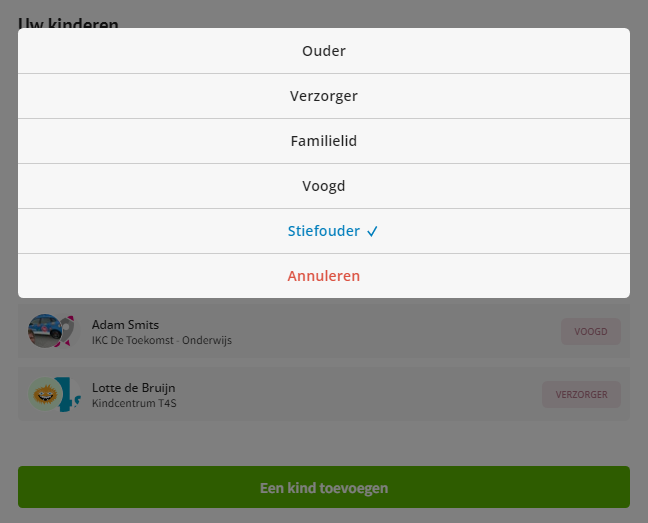
When you have chosen this, your "role towards the child" for other parents in Kwieb and also for the school team has been adjusted.