Stripe payouts
When you use Stripe, you can have Stripe pay out monthly, weekly or manually. You can see in Ziber Team which transactions this payout consists of.
Stripe Payouts
Via the main menu you go to Stripe - settings under the Financial tab.

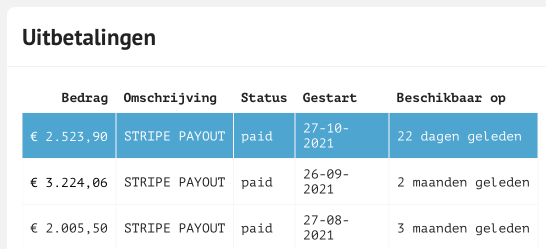
When you scroll down you will come to the payouts section. Here you have an overview of all payouts that have been made to you by Stripe. Here you can see the full amount that has been paid to you. To gain more insight into the amount, click on one of the payouts.
Stripe Transactions
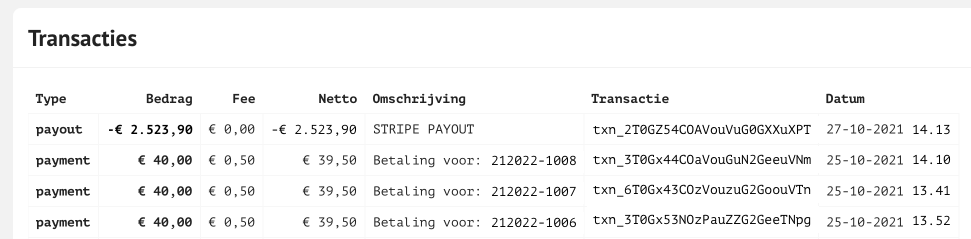
When you have clicked on a payout you will get to the next screen transactions . At the top of the "payout" you will see this is the full amount that has been paid out to you. Then under "payment" you will see every transaction that has been made, including the transaction costs, the net amount, the description with the order number, the transaction code and the date and time the transaction was received by Stripe.
Note: Viewing transactions from is only possible when the payout is weekly or monthly. So NOT on manual.