Hide my name in Kwieb
Kwieb is a parent app especially for the school community. Parents use Kwieb for information and interaction between school/school team about their child. At the same time, Kwieb is also used for social interaction between parents who have their child at the same school. Think of registration lists or comments under group messages. Many parents also use the Kwieb app to get in touch with other parents.
For example, it is possible to find the parents of other children via your child's group. Often parents know the names of other children in the group, but not the name of the parents. That's why the parent names also say "parent of [name of child]". Depending on the privacy settings of those parents, you can then find out, for example, their name and telephone number.
How is my name now displayed in Kwieb?
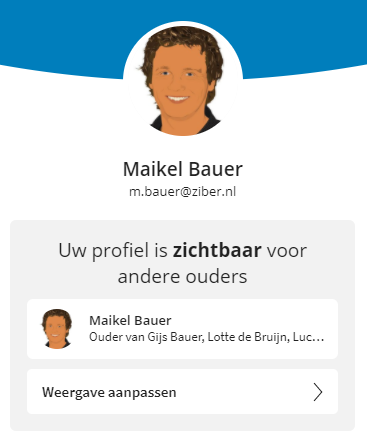
When you press your name in the top left corner of Kwieb, you will enter your profile. There you will see how your name and role in relation to your child is shown to other parents at school in Kwieb:
Hide name
When you press the Privacy settings, you can change the appearance of your profile to "Protected" there:
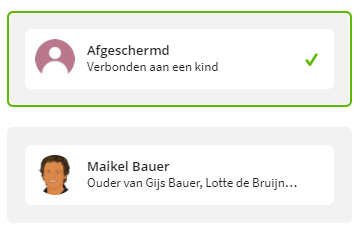
After you have done this, your name, profile picture and role in relation to your child will no longer be shown to other parents at school in the Kwieb app.
Note: If you have set your name to Protected, you will lose functions related to social interaction between parents. Read here about which functions are missing.