Report student absent in Ziber Team
As a teacher or administrator, you can report a student absent via Ziber Team. This can be due to illness, being late, doctor, dentist, etc.
How do I report a student absent?
1. Go to the green plus button in the menu and click on absence
2. Select the appropriate student
3. Absence Notification
4. Parents receive notification
1. Add Absence
You can add a student's absence via the green plus button at the bottom of the menu.
2. Concerning student
You can easily select the relevant student via the search system.
3. Absence Notification
Prepare the student's absence. You will see a list of possible absences.
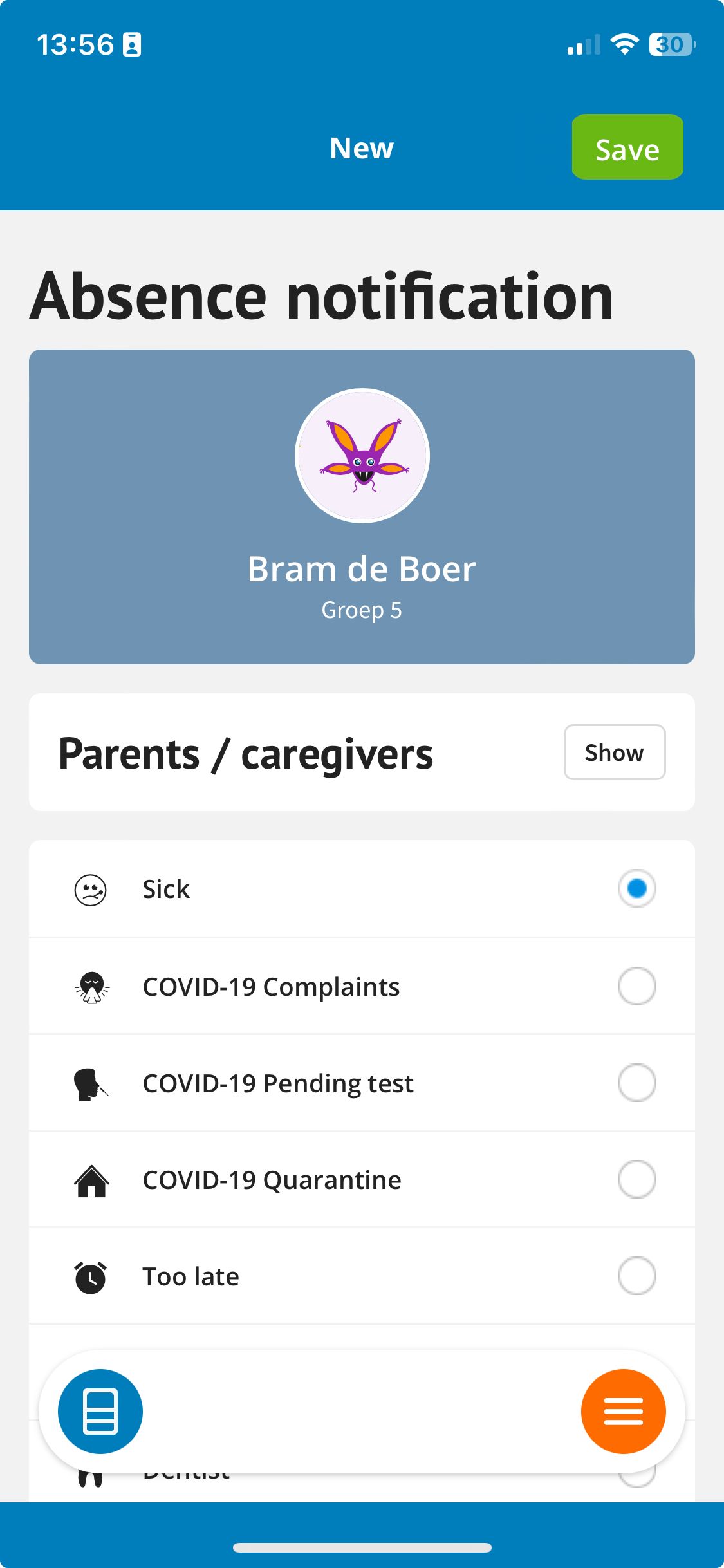
sick
When you report a child sick, the parent will be notified. You can enter a start date and add a comment. The parent sees that his child has been reported sick and can also read the comment that the teacher has placed via the absence overview. The student will remain sick until the teacher/administration or parent reports better.
Note: Sick reports are only full days (you cannot enter time).
Too late
In some cases, when a child is late, the school wants to register this. As a teacher, you can therefore report a student too late in Ziber Team. The parent will NOT receive any notification of this. However, this late report is registered in the Ziber Team absence overview .
Other absences
For the other absences it is necessary to enter a start and end date/time.
Tip: Depending on the absence settings, you will see a list of possible absences.