Start a topic with a parent
Topics is the way to start a (chat) conversation with a parent. Simply send each other short messages about a topic chosen by you or the parent (Topic).
How do I start a Topic?
- Add a new Topic via the Dashboard
- Select the parent(s) (or team members) you want to reach
- Write a topic with a short description
- Send your message
- Get notified when a parent responds
Start New Topic
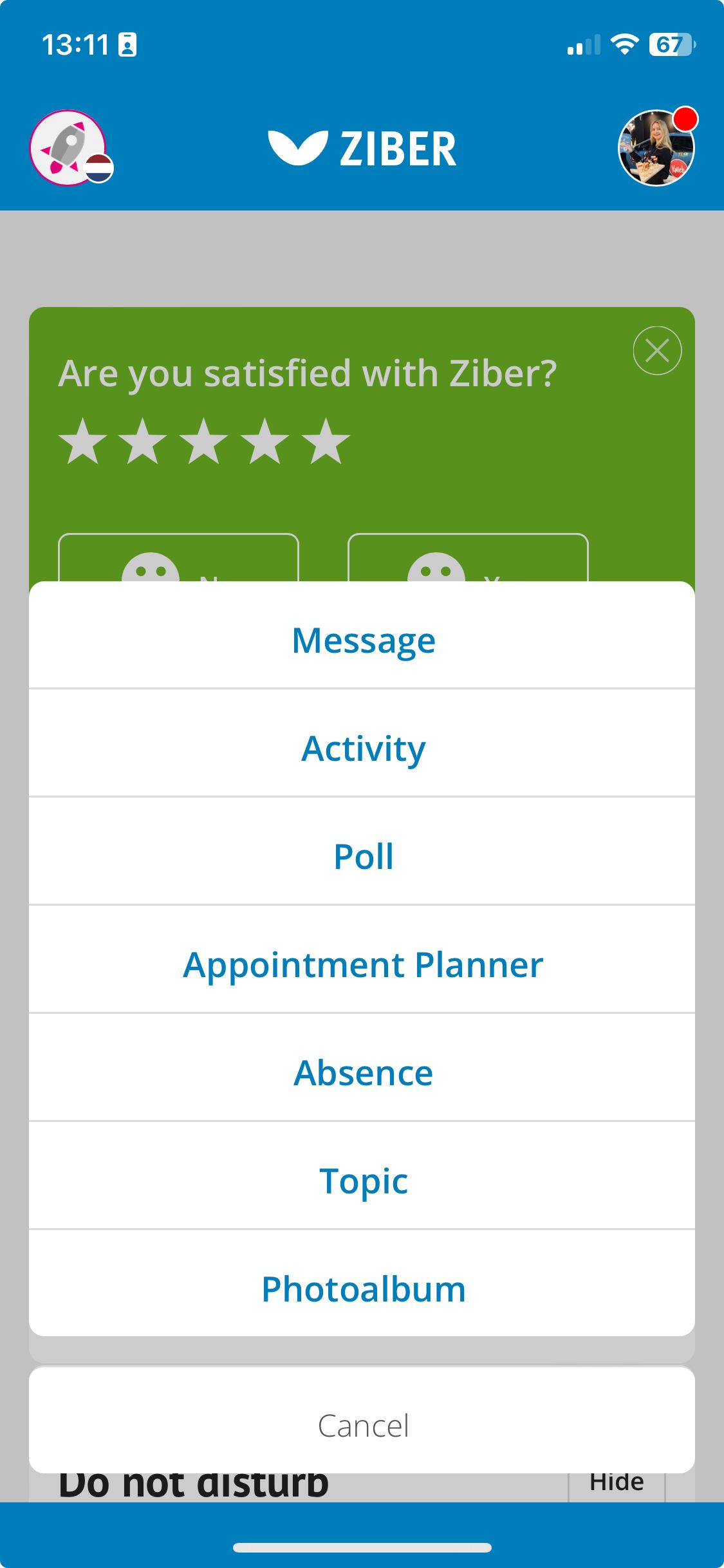
Start a conversation with the parents via Topics. Via the Dashboard of the Ziber Team app you can easily create a new Topic, or with the big plus button in the menu:
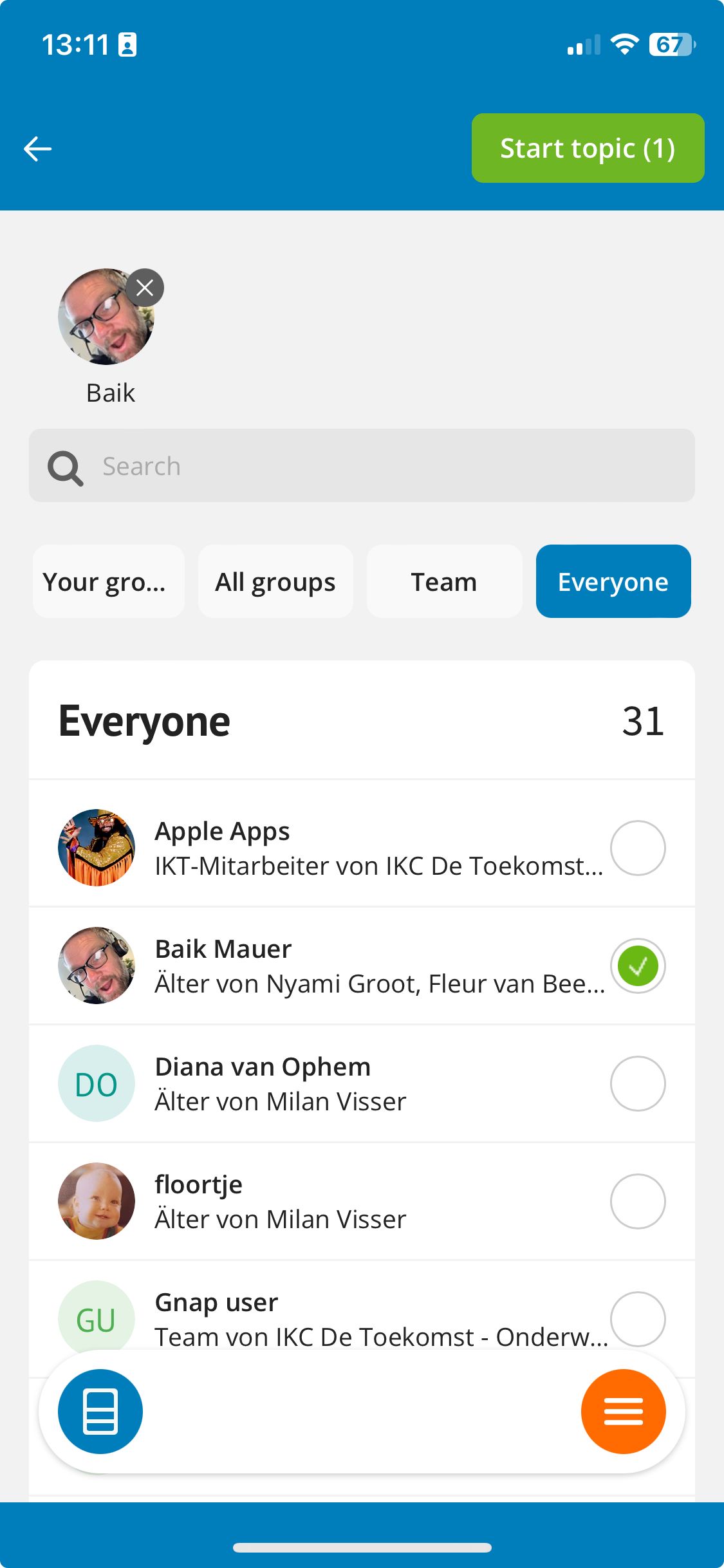
Choose a parent (or team member)
When you start a new Topic you will see a list of parents. You can also choose to start a Topic with someone from the school team. Via the last button 'Everyone' you can start a topic with everyone at school (team and parents).
Subject & Description
First, specify a topic for the conversation you want to start. Then, below that, you can type your message:
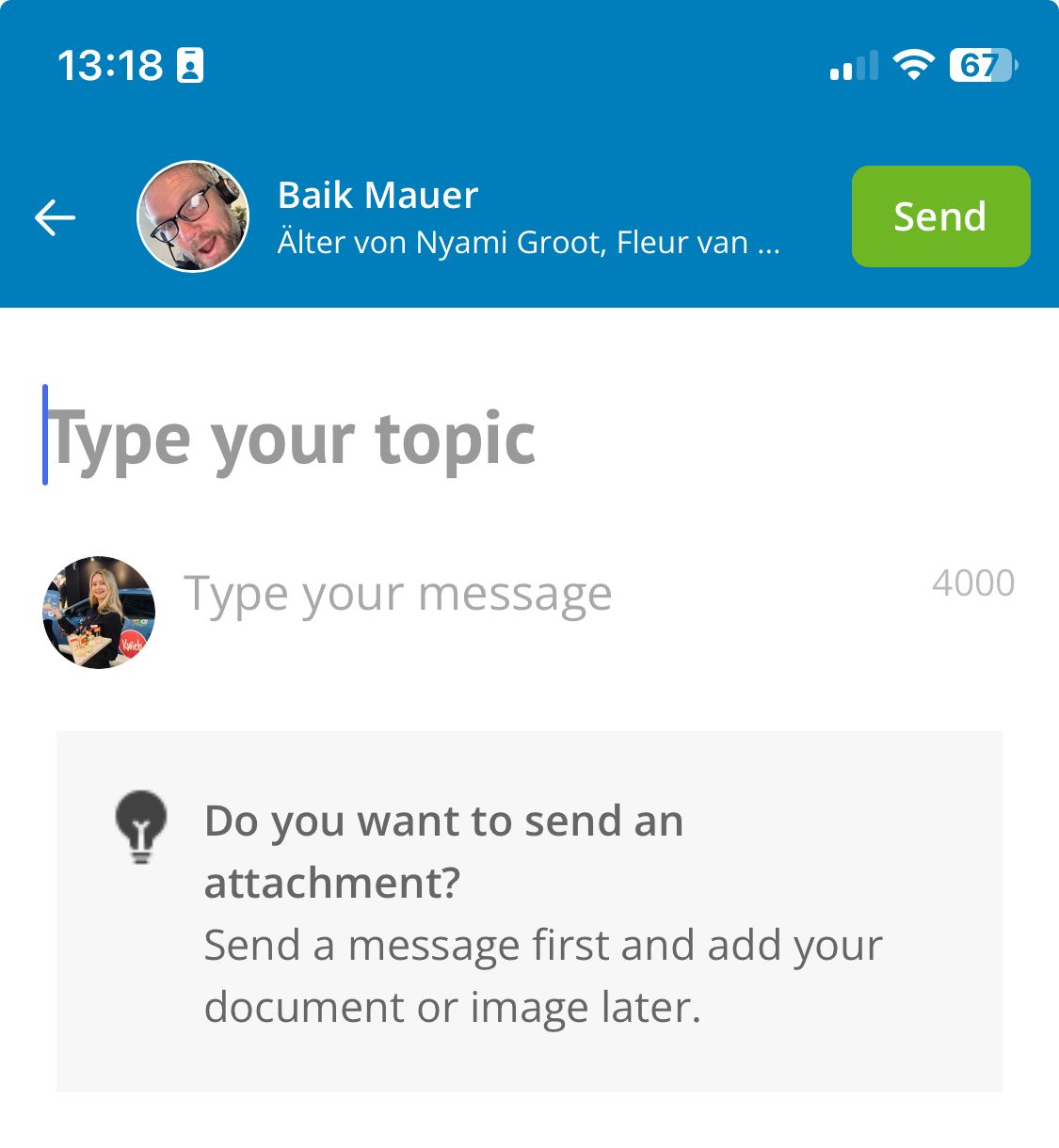
Tip: You can use up to 4000 characters in the message.
Submit Topic
When you send a Topic, the parent will receive a notification. The parent determines in the Kwieb app whether he/she wants to receive a notification via an email and/or push notification.
Response!
When a parent responds, you will receive a notification in the Ziber Team app. By clicking on the message, you can respond directly to this parent.
Send attachment
Once the Topic has been started, you can also send an attachment to a parent via Topics. For example, a photo or file.
Please note: You must first provide a subject and description and start the chat conversation before you can send an attachment.
Reading indicators
The school/daycare can determine for the entire organization whether the reading indicators (check marks when the message has been read) are used or not. These can be set by the administration/management via topic settings.
Are you not receiving notifications for new or updated topics?
You may not be using the Ziber Team app yet. Once you have this app on your phone, it is possible to receive push notifications on your phone for new messages etc.
Tip: You can learn more about setting your notification preferences in this article .
Also check if your notifications are set to 'do not disturb'.
Tip: Read more about setting the 'do not disturb' schedule here .