Notification settings
In Ziber Team you can determine for which events you receive a push and/or email notification. The badge and app notification are always on. If you want to know the difference between all types of notifications, check out this article .
Edit notification settings
To change the notification settings, go to your ' profile ' in Ziber Team. Scroll down to the ' notifications ' button.
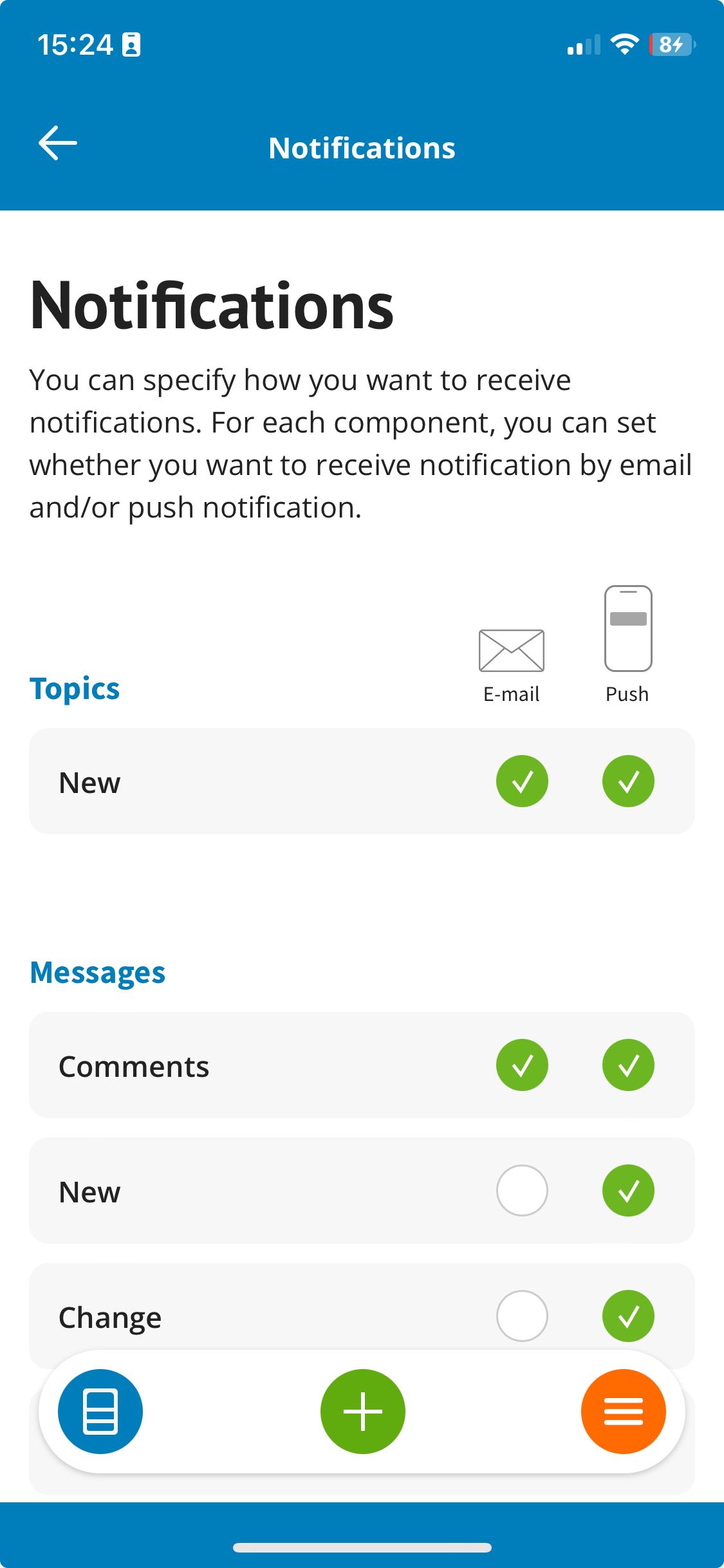
You will then receive an overview of all kinds of events for which you can receive a push and/or e-mail notification. When a green dot is displayed next to the notification for an event, you will receive the selected notification (e-mail and/or push) for that specific event:
Please note! When using the Do Not Disturb function , you will only receive notifications you set here if the Do Not Disturb function is set to 'OFF'.
What do the events mean?
Here we briefly describe which events there are and for which you can turn the push and/or email notification on/off
When someone from your school team edits a message in Ziber Team that was posted to 1 (or more) of your children, you will receive a notification.
| Topics | |
| New | When a parent sends you a Topic in the Kwieb app (new or an update to an open Topic), you will receive a notification. |
| To inform | |
| Comments | When a parent posts a comment on a message in the Kwieb app, the account that published the message in Ziber Team will receive a notification. |
| New | When someone from your school team posts a message to 1 (or more) of the children in your group, you will receive this notification. |
| Change | When someone from your school team edits a message in Ziber Team that was posted to 1 (or more) of your children, you will receive a notification. |
| Response from the school team | When someone from your school team responds to a message that goes to 1 (or more) of the children in your group, you will receive this notification. |
| Activities | |
| New registration | When a parent registers in Kwieb to participate in an activity, you will receive a notification (if you have placed this activity in Ziber Team). |
| Unsubscribed from activity | When a registered parent unsubscribes from an activity in Kwieb, you will receive a notification (if you have placed this activity in Ziber Team). |
| Comments | When the parent posts a response to your open question, you will receive a notification (if you have posted this open question activity in Ziber Team). |
| Absences | |
| New | When a parent reports the child absent in Kwieb, you as the teacher(s) of this child will receive a notification. This also applies to the administration. |
| Absence ended | When a parent reports a child as better again in Kwieb, the teacher of the child concerned receives a notification. |
| Polls | |
| New | When a new poll is added you will receive a notification. |
| Change | When a change occurs to an existing poll, you will receive a notification. |
| Started | As soon as a poll becomes active within Kwieb for parents, you will receive a notification. |
| Closed | Once a poll is closed, you will receive a notification. |