When do parents receive notifications in Kwieb?
Do you want parents to not miss any message or activity that you post in Kwieb? Then this is a useful article for you! In this article we explain when automatic notifications are sent to parents when you post something new in Kwieb.
Tip: We are constantly optimizing the way notifications are sent out to parents, to make the experience in Kwieb pleasant and efficient. Do you have any comments? Please let us know via support@ziber.nl .
Overview of all possible notifications for parents
Below is a complete overview of all possible notifications that parents can receive of new content from you as a teacher/school team member.
Parents can indicate for each component whether they prefer to receive an email notification, a push notification or both.
School notifications
- Emergency notification (always push and email notification, a parent cannot turn this off)
- Notification
Topics
- New
Activities
- New
- Request for participation
- Memory
- Cancellation
- Change
- Summary
To inform
- New
- Change
- Team Response
Payment request
- New
- Reminder (always via email, a parent cannot turn this off)
Newsletter
- New (by email only)
Photo albums
- New
Conversations
- Invitation
- Memory
- Last reminder
- Confirmation
- Confirmation by team
- Appointment reminder
- Appointment rejected
- Appointment rejected by team
- Cancellation
- Cancellation of invitation
Absence
- New
Polls
- New
- Final result
Child link
- New (push notification only)
Below is a detailed breakdown per content type of when notifications are sent:
Topics
In a new conversation
When you send a new message to a parent via a topic.
When there is a new message/new update in an open conversation
When you respond to an open conversation.
Tip: Want to know more about Topics? Check out our online explanation of Topics .
To inform
With a new message
The parents you selected will receive a notification of a message you enter in Ziber Team within 5 minutes . If you disable the option 'publish immediately' and choose 'delayed publication' during entry, your message will only be published on that date and the notifications to parents will only be sent at the moment of publication.
Optional when editing a message
When you change a message in Ziber Team you can optionally check 'inform parents about this change':
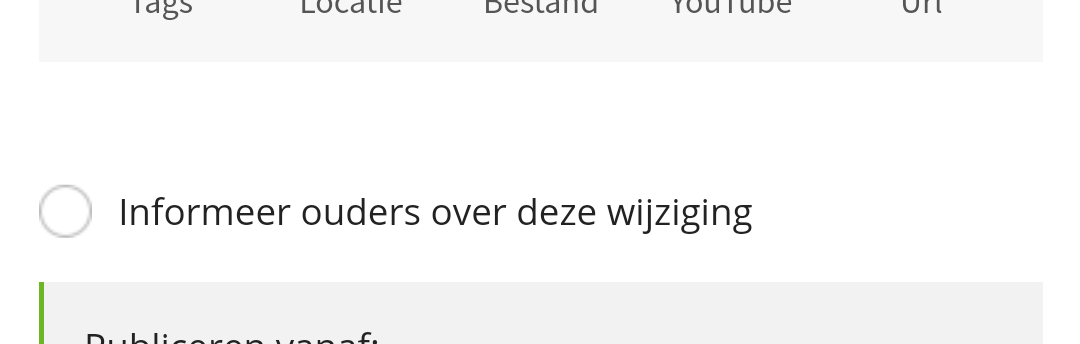
When you do this and save the message, parents will receive a notification about the changed message.
Tip: Want to learn more about messages? Check out our online explanation of messages .
Activities
Short term activity
When you enter (or change or delete) an activity with a start date within two weeks, the parents you selected will receive a notification within 5 minutes of saving.
Long term activity
When you enter (or change or delete) 1 or more activities with a start date that is/are further in the future, parents will receive one collective notification in the evening ('The school agenda has been changed'), so that they do not receive separate notifications for all entered items.
Activity with participation question
When you ask parents to participate in an activity, parents will always receive a notification, regardless of whether the activity takes place in the short or long term.
Participant in your activity
When parents participate in your activity, they will receive a reminder notification one day before the activity.
Tip: Want to know more about activities? Check out our online explanation of activities .
Photo albums
When you add a new photo album.
Tip: Want to know more about photo albums?Check out our online explanation of photo albums .
Conversation Planner
When you create a conversation planner, parents will automatically be informed on the day the registration period starts via a notification that their conversation planner is ready. Parents will (automatically) receive the following notifications:
- at the start of the registration period: Invitation for conversation planner Tip: The start time of a registration period is always at 7:00 PM.
- halfway through the registration period: Reminder to parents who have not yet registered
- 1 day before the end of the registration period: Final reminder to parents who have not yet registered
- When parent has chosen a time slot: Confirmation to parents of the child with the chosen time slot
- A reminder to the parent when the conversation is almost here.
- When a parent or teacher cancels a chosen time slot: Cancellation of chosen time slot
If you as a teacher cancel/delete a complete conversation planner (for example because you are ill), all parents will be informed via a notification that the conversation planner has been cancelled.
Tip: Want to know more about the conversation planner? Check out our online explanation of the conversation planner .
Absences
When you submit a new absence report for a student from Ziber Team.
Tip: Want to know more about absences? Check out our online explanation of absences .
Polls
New poll
Once you add a new poll.
Final result
As soon as the final result of the poll is known.
Tip: Want to know more about polls? Check out our online explanation of polls .
Payment request
When a new payment request (by school or parent council) is published to Kwieb, the selected parents will receive a notification. The payment request will then remain active at the top of the timeline until it is paid OR withdrawn by school/parent council.
Tip: Want to know more about payment requests? View our online explanation about payment requests via Ziber Pay .
Newsletter
When a school sends out a newsletter, selected parents will receive an email (no further notifications).
Tip: A newsletter is only sent via e-mail. This cannot be seen in Kwieb.
(Emergency) Notification
As can be seen from the description above, the Ziber platform sends various notifications to inform parents about information that you publish. As a teacher, you also have the option to send a "loose (emergency) notification" to parents without this notification referring to a message or activity, for example.
Examples of sending individual notifications include:
- we will come back later from school trip
- the four-day evening event has been cancelled due to severe weather
- Due to the nice weather, please make sure the children are well protected with sunscreen
Tip: Want to know more about sending (emergency) notifications? Check out our online explanation of notifications .
Child link
When the other parent/guardian also connects to the child, you will receive a push notification.
Tip: A notification to a parent consists - depending on the personal settings of the parent - of an email, push notification, badge notification and app notification. Want to know how this works? Check out this article . Parents can set themselves which type of notifications for which component they receive, check out this article .