Send reminder to parents
The green notification will remain at the top of the timeline for the parents until the payment request has been paid or is deactivated by the parent council. However, you may still want to send the last parents a reminder.
How do I send a reminder to parents?
1. Go to the payment request and click on the send button
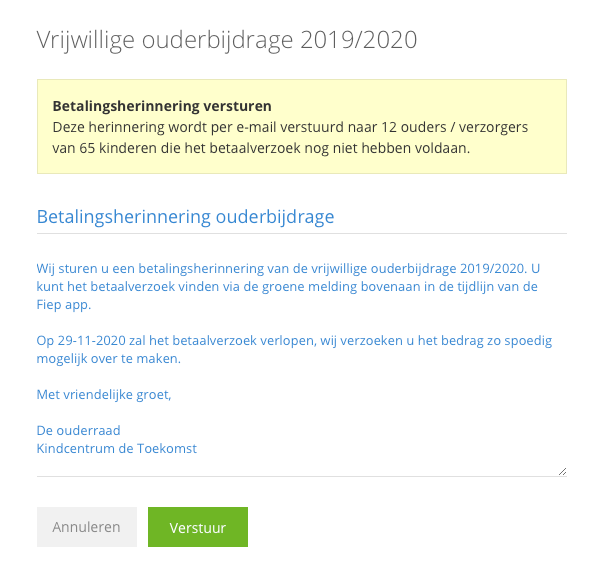
2. Write a notification to send to the parents
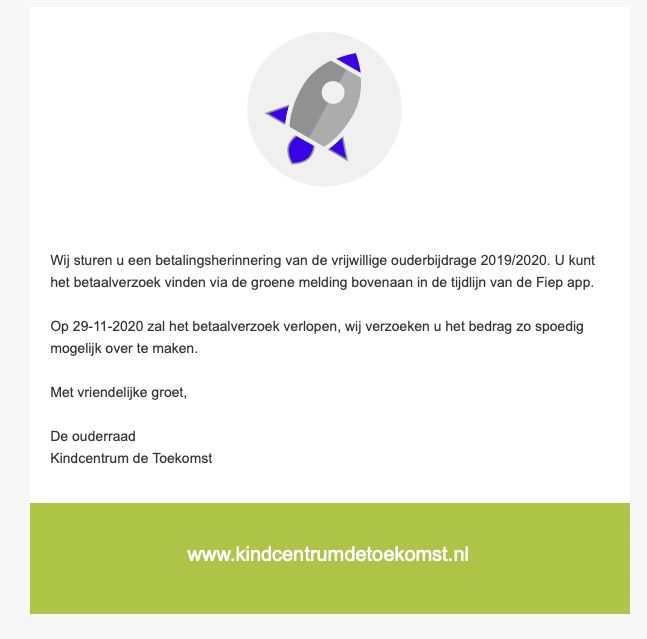
3. The parents will receive your notification by email
1. Send reminder
Click on the send button (the airplane) for the relevant payment request.
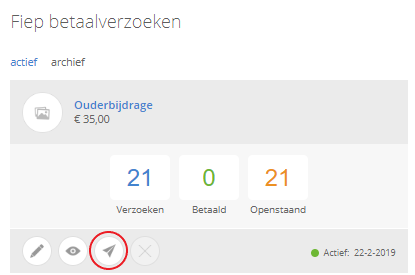
2. Write the email
First, you will see how many parents your notification will be sent to.
Subject of the email
This is the subject that the parent will see in the parent at the top of the email.
Content of the email
Here you can write the message you want to send to the parents.
3. The parents will receive your notification by email
The parent will then receive an email with the message you sent.
Do you also want to easily collect the parental contribution at your school?
Then look at edu.ziber.nl