EXPORT - EDEXml file from your Parnassys e/o Esis
If you want to use Kwieb for your school, you need an EDEXml file. This file contains information about your school's students. This information is needed to 'create' the students in the Ziber platform.
You can easily export the EDEXml file of your school yourself from the Student Administration System (LAS) you use.
Below is a description of how you can export the EDEXml file for the three largest providers.
ESIS
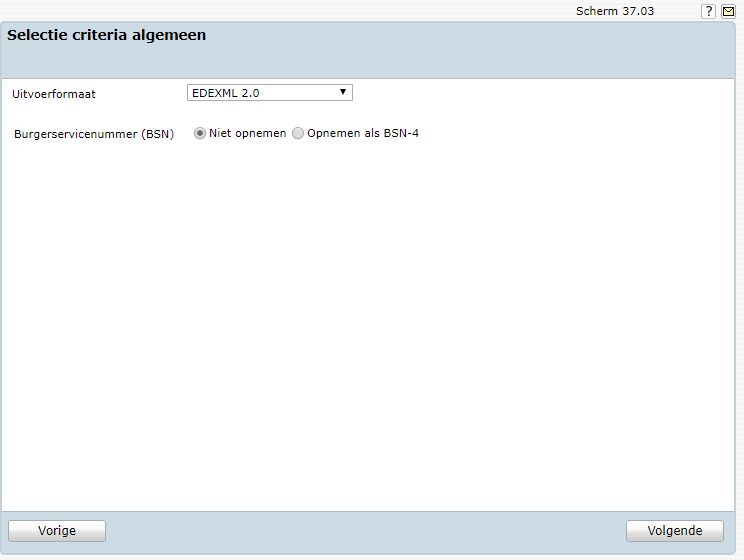
3. Select EDEXML 2.0 as output format, choose 'do not include' at Citizen Service Number and click next
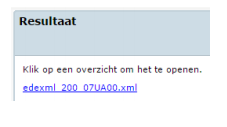
4. Click the link that appears to save the file.
ParnasSys
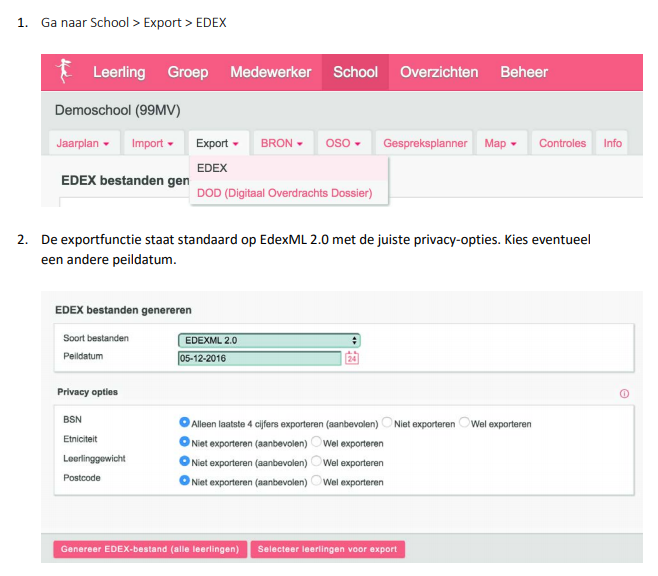
3. Choose the option 'Generate EDEX file (all students)
Tip: When exporting Parnassys, choose the option 'EDEX & UWLR (old variants)' under the 'export' menu.
Eduscope
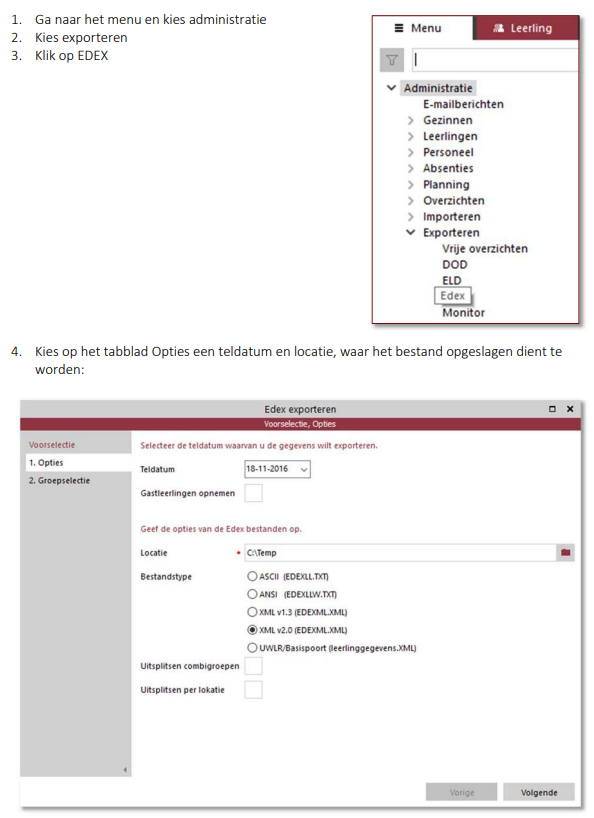
5. On the Group selection tab for all groups , choose .
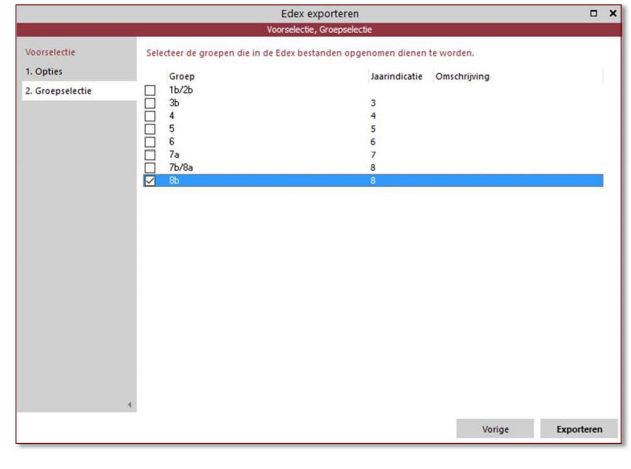
6. Click Export to save the file.
After you have successfully exported the EDEXml file, you can start importing it into Ziber Team !
Tip: When new team members join the school or new students have registered, they will also have to be placed in the Ziber platform via the EDEXML export. Always export all students from all groups for every update of data! ps. If you would like a live link between your LAS and Ziber, please inquire about the possibilities via support@ziber.nl .