Invite parents to Kwieb
The school administration can easily invite parents to the Ziber parent app via the student management. The school can manage this manually or via an automatic data link (Esis, Parnassys).
Invite parents manually
If you do not use the data link, you can manually invite the parents.
- Via the Ziber Dashboard you go to the Student Management
- Here you can invite one or more parents to the app
Filter students
To see the students who are not linked, go to the button 'not linked/invited' this will give you a handy filtered list. You can filter even further by selecting a group or searching by name. Of course you can always reset the filter again.
Invite parents by email
You can easily send parents an invitation via email. Each parent will then receive their own unique code with which they can link their child to the Ziber parent app.
- Click on the new invitation button for the student
- Enter the parent/guardian's email address .
- Click Send
- If you want to invite multiple parents , repeat this operation.

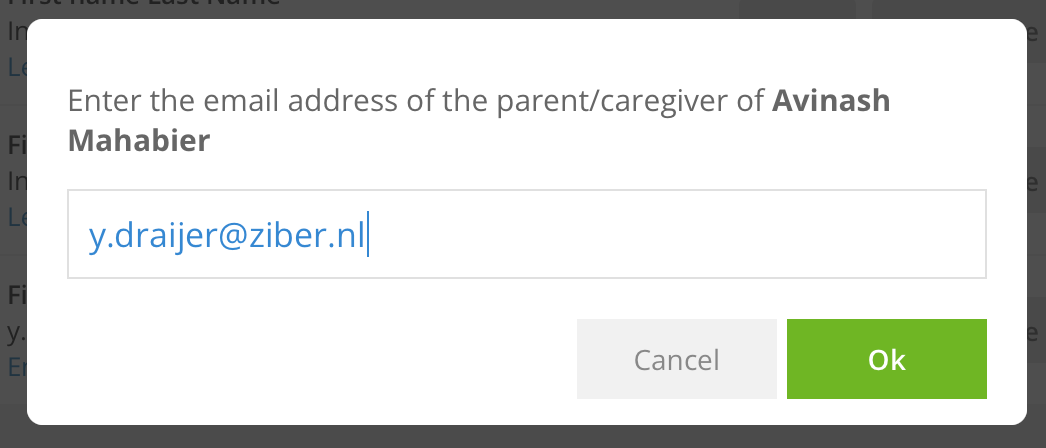
Note: You can invite a maximum of 4 parents/guardians per student.
Tip: Ziber also supports parents! Feel free to forward parents with questions and feedback about Ziber. We are happy to help them. For example, we have also set up a complete support for parents that can be found via For parents .
Invite parent in own language
Would you like to send the parent an e-mail invitation in their own language? To change the language of the invitation, go to the student 's profile in the student management.
Scroll down to New Invitations and select your preferred language for the invitation .
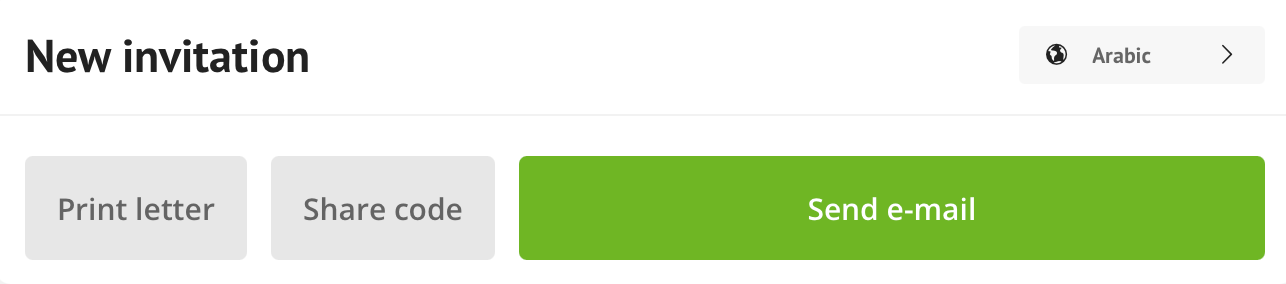
When the invitation is sent, you will see in the student's profile that it has been sent and in which language.

Tip: Curious about which languages are available, view the Current languages here.
Invite parents via code sharing
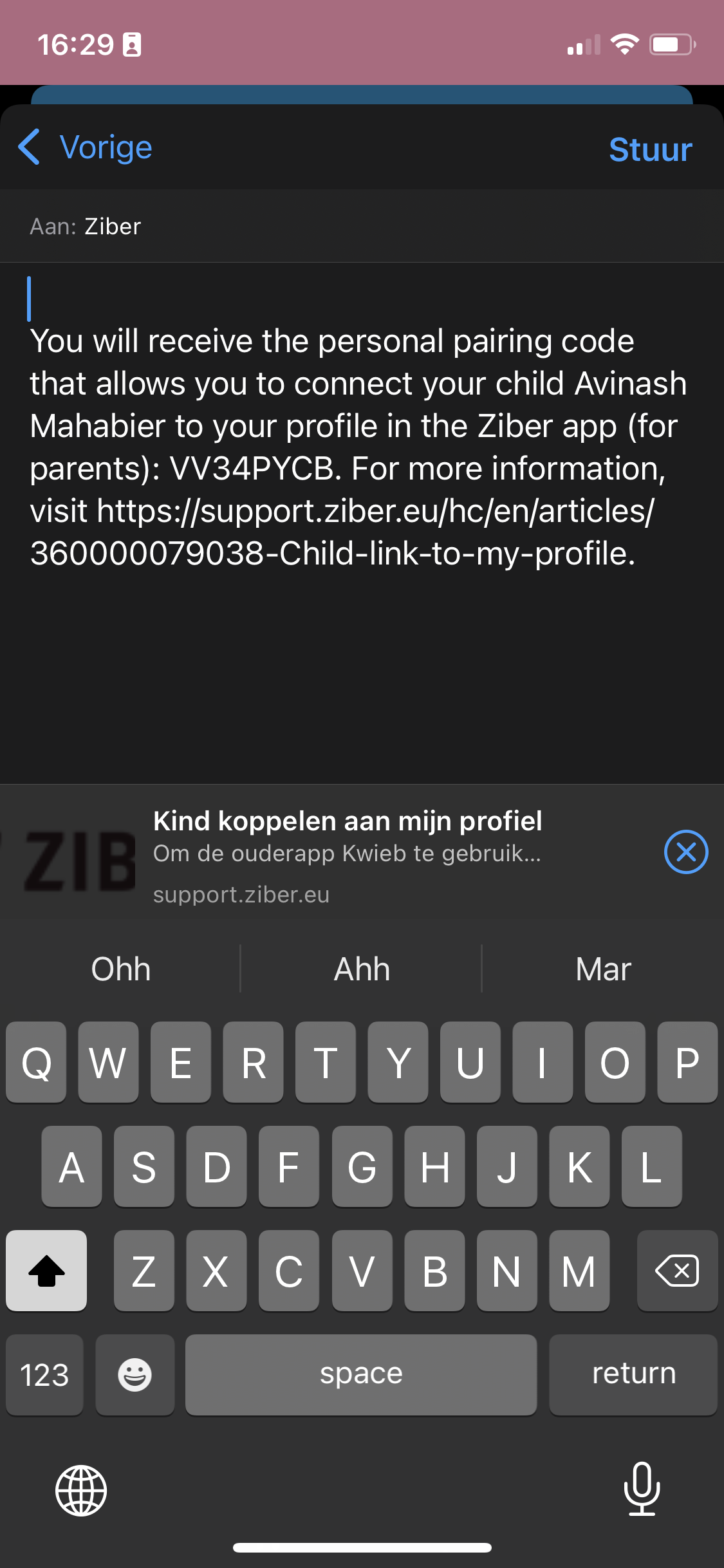
Copy the code with the share code button to send an invitation via WhatsApp, for example. To do this, go to the student's profile and click the share code button.

When you use code sharing from the phone you can share it directly via the options of the phone such as Whatsapp.
Invite parents via printed letter
It is also possible to invite parents by letter. At the bottom of the student's profile is the Print letter button.
You can also print the invitation letter in the parent's own language .
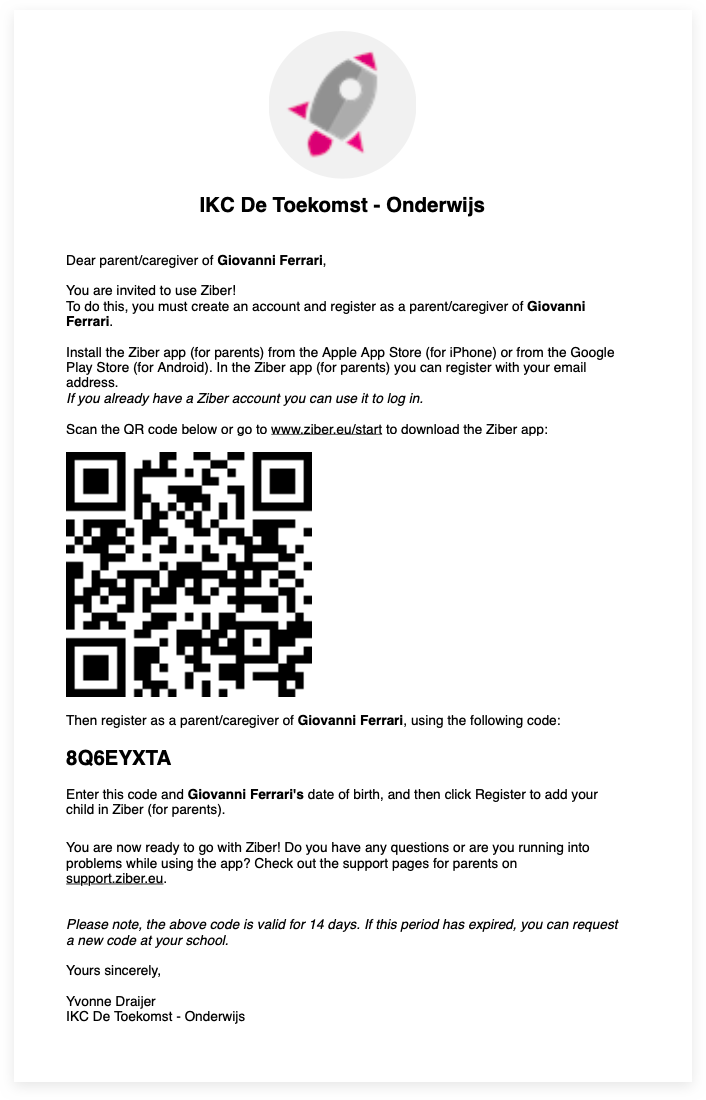
What does the parent need to complete the registration?
- The Ziber Kwieb app
- A child (pupil) at your school, child center or childcare center
- Date of birth of his/her child
- Unique student code (in the invitation)
When did the parent accept the invitation?
In the overview of the students, the number of parents/guardians is shown under the name of the student. You can also see if any invitations are still open. In the student's profile, you can see the names and email addresses of the parents that the student is associated with.
Unlink parent
When you go to the student's profile, you can also unlink the parents again. The student is disconnected and the parent no longer sees information about the student in Kwieb.
Withdraw invitation
Do you want to withdraw the invitation anyway? If the invitation has not yet been accepted, you can click the "revoke invitation" button in the student profile. The parent can no longer connect via email.