Add new students to Ziber?
Via synchronization with Student Administration System (LAS)
If changes take place in the organization, for example new students or team members at the school/child center, the data at Ziber must also be adjusted. You have 3 different options for this:
After synchronizing the data, the groups, students and school team will be current in Ziber Team. You can then invite the parents to Kwieb (if applicable) and/or send an invitation to the Ziber-Team-app for a new school team member (if applicable).
Manually add a student
It is also possible to manually add a student yourself. You only use this function if you do not use a LAS link. Go via the orange menu > student management > add student.

You need the following information:
- Student name (first name + last name)
- A group (don't have any groups? Create them via group management )
- Parent/guardian email address (click on the green plus to add multiple parents)
- Add another student if necessary
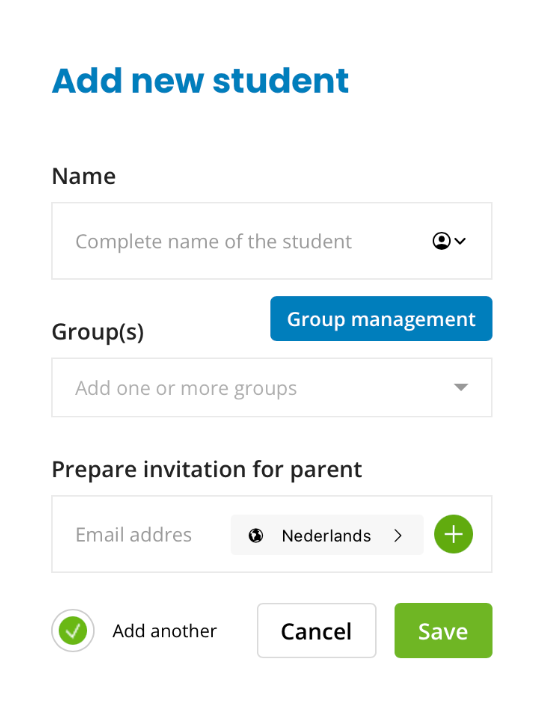
The student is added to the student list and an invitation is prepared for the parent.

When all students are created and you are ready to invite the parents. Can you send an invitation to all parents in bulk?

Note: Use add student only if you do not use a LAS (student tracking system).