Show or hide company details on your mobile website
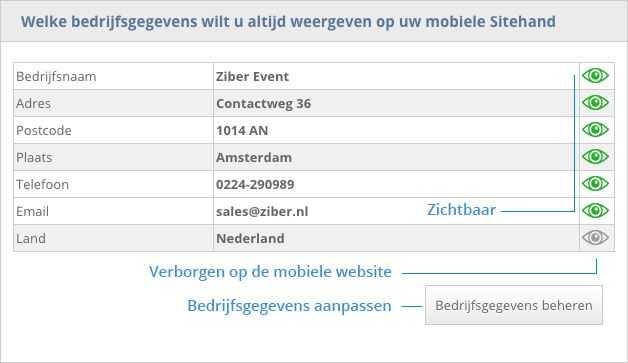
Your organization's business information appears in several places on your mobile website. For example on the Deck, in the footer and the company page. You can show the following information:
- Company Name
- Address
- Postal Code
- Place
- Phone
- Country
Phone and Email tile
When you enter a phone number and email address, they automatically become tiles on the Deck. Visitors to your mobile website can click on these tiles and directly call or send an email.
Hide Company Information
If you do not want certain data to be visible on your mobile website, you can hide it.
- From the main menu click on "My Sitehand" or "My Webbly"
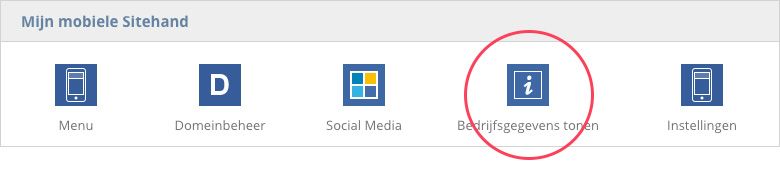
- In the section 'My Mobile Sitehand' click on the icon 'Show company details'
- Here you see an overview of all entered company data
- Click on the 'eye icon' to show (green) or hide (grey) an item
- If you want to adjust certain data, click on the button 'Manage company data'