DS4: Freeze the navigation (row of buttons or segments)
You can pin a certain row of the template so that it sticks to the top of the browser and remains in view while scrolling. In this way, for example, a row of buttons (navigation) always remains in view and the visitor has quick access to pages and other links.
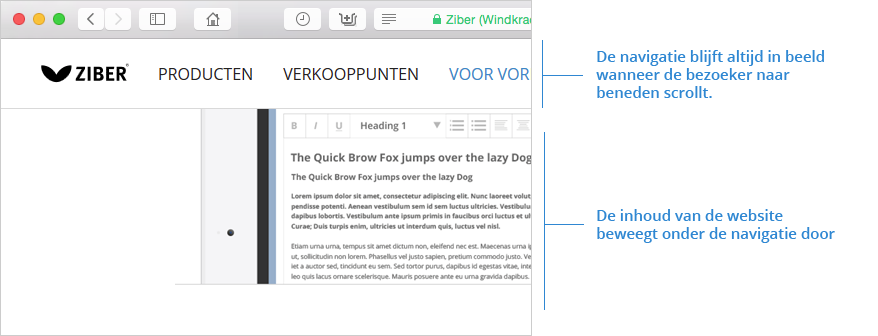
- The entire horizontal row of a template is locked
- A maximum of one row per template can be pinned
Locking a row
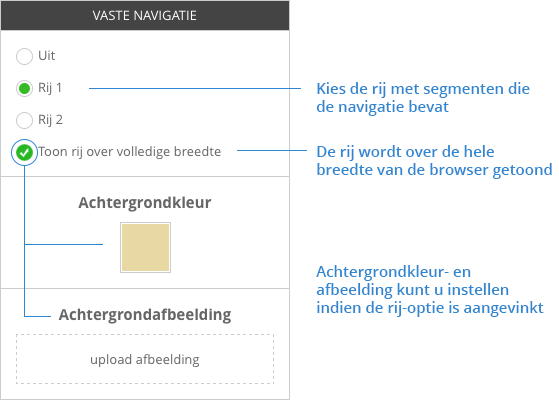
- In DS4 navigate to: Design > Desktop > Template
- Under the 'Fixed navigation' section, select a row
extra options
The row is displayed across the width of the browser. You can fill in the extra space to the left and right of the template with a color or an image.
- Choose a background color or upload an image