SenseView DS: Activate Timeline
Activate an existing timeline on your SenseView
When you have created multiple timelines in the SenseView Designer, you can activate one of these timelines. This activated timeline will be visible on your SenseView.
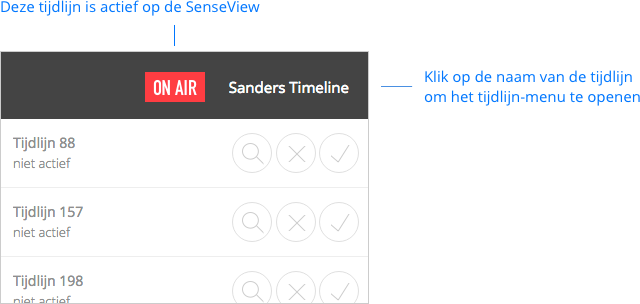
- Open the timeline menu by clicking the name of the current timeline.
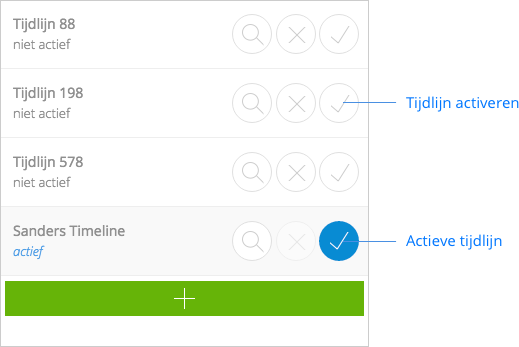
- The menu opens.
- Click on the activation icon (check mark) next to the timeline you want to activate.
An active timeline shows 'ON AIR' in the menu bar.