Place newsletter sign-up field in page
Do you use a newsletter in your Ziber website? Then you can also place a registration field anywhere on a page. Then a visitor can quickly enter his email address, press ENTER and that's it! Then it becomes very easy for your visitor to sign up for the email newsletter. The registration field is of course in the house style of your website. If you would like to make adjustments, your designer will be happy to assist you.
Choose the page
You can place a registration field for your newsletter on every page in your website (also on the footer page!). When you log in to Ziber Team and then click on Pages, you choose the page on which you want to place such a field. Once in the page, place your cursor where you want to place the login field.
add
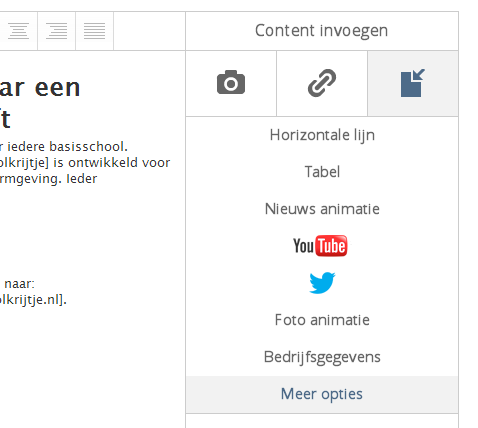
Then move your mouse over the 'insert content' icon and choose 'more options'.
Choose Newsletter Sign up
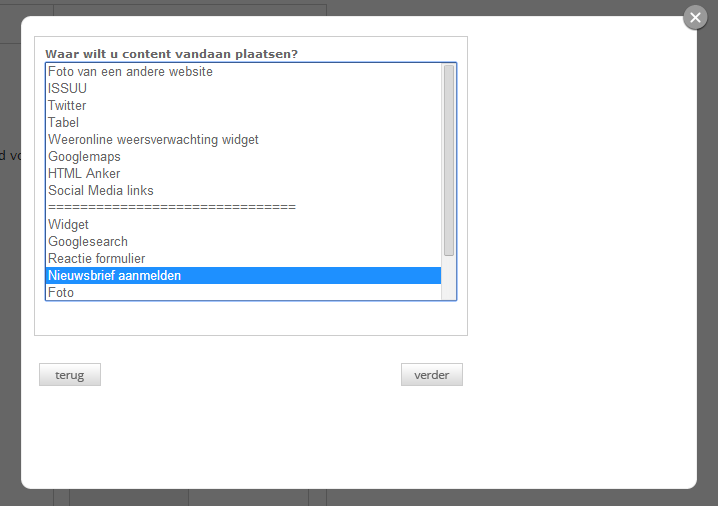
You will be asked what content you want to insert. Here you choose 'Subscribe to newsletter' and click on continue.
taggie
This 'tag' will appear on your page where your cursor was:[content|NL|MAILINGLIST]
Save these changes and view the result on your website!
View result
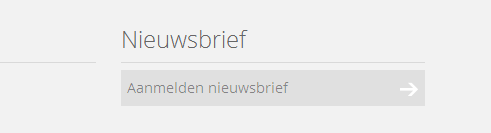
A similar registration field for your newsletter will then appear on your website. When people enter their email address and click on the arrow, they are immediately subscribed to your newsletter. Do you use multiple groups? Then they are registered for all groups!
Tips:
- Do you want the field to be a different color? Or a custom text? Mail your designer who can adjust this for you!
- Do you want this registration field on every page of your website? Then place it in the 'footer page'!