SenseView DS: Uploading Design Layers
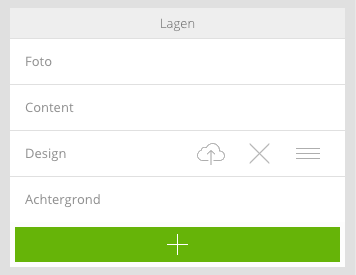
Design layers are an important part in the design of the presentations. They can serve as foreground or background and together with the content layers determine the element.
Content layers cannot be deleted or reordered
Adding a design layer
- Click the green add button
- Then click an image file (PNG, JPG, GIF) on your computer
- Move the design layer to the correct position
Changing a design layer
- Click on the upload icon at the design layer.
- Select a new image on your computer
Delete a design layer
- Click on the delete icon (X) of the design layer