I have received a letter to register with Kwieb
You have received a letter from school to register with the Kwieb parent app.
I have received an invitation, now what?
- Receive an invitation by e-mail or letter
Download the Kwieb parent app in the Appstore or GooglePlay- Create an account or log in
- Add your child with the unique code from the invitation
1. Letter (example)
You have received an invitation from the school by letter or e-mail.
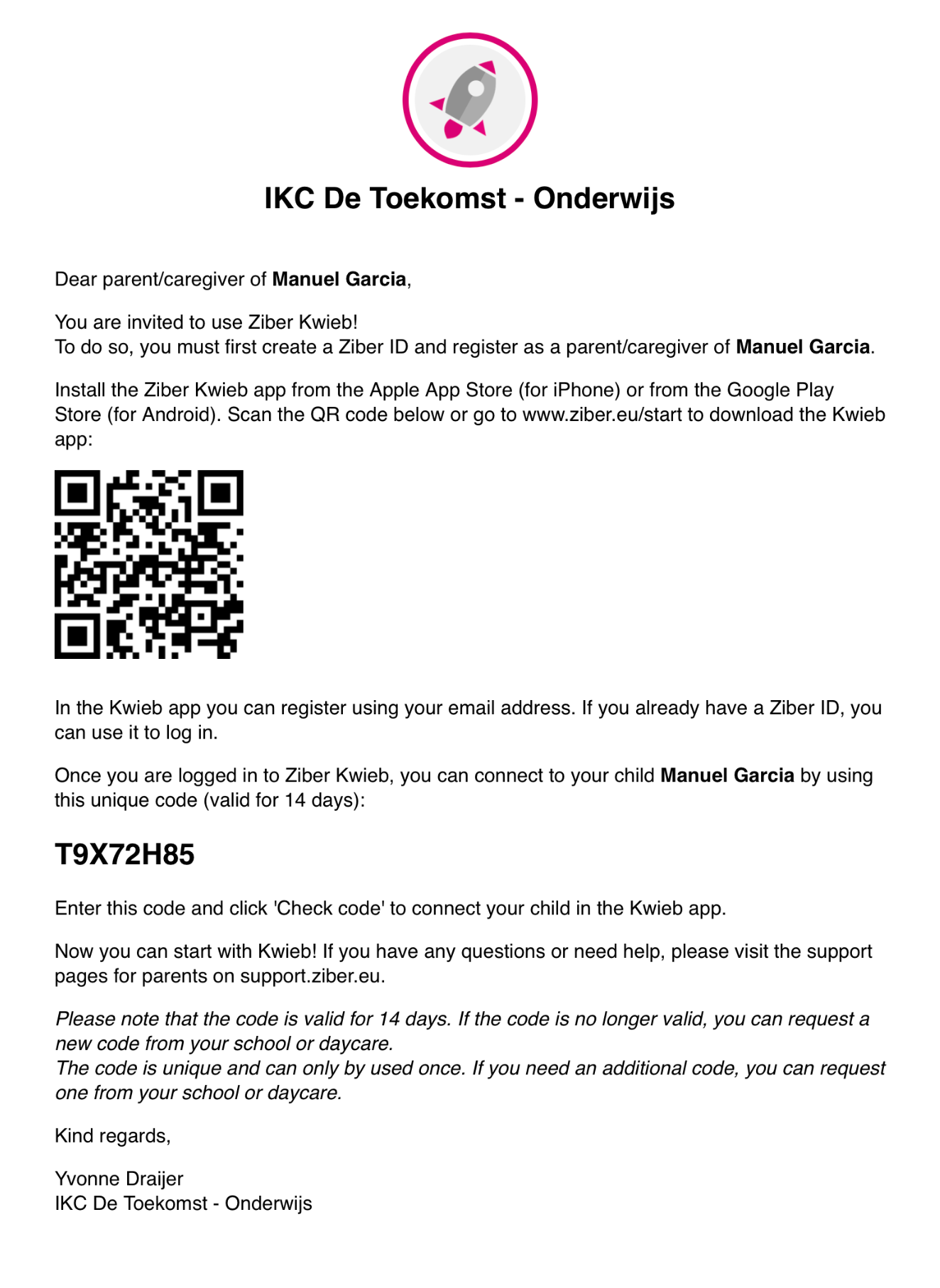
Note: the code above is an example! Every child has its own - unique - code.
2. Download kwieb
To download the Kwieb parent app, first go to edu.ziber.nl/kwiebstart
Scan the QR code with your phone or go to the Appstore or GooglePlay via these links


3. Create account
When you have downloaded Kwieb, you can then create a new account in the Kwieb app yourself, or log in via your existing account.
4. Unique code
The letter contains a unique code with which you can add your child to your Kwieb account.
If you have not yet added a child, you will immediately be taken to the registration screen .
Then enter the unique code and the date of birth of your child and then click on register . Your child is now linked to Kwieb!
If you have already linked a child to Kwieb, you can link one of your other children via the profile button " Add child ".
Tip: Can't add your child? Then look here for help .