Create a parent account for Kwieb
Your school or childcare uses the Kwieb parent app. You can easily download it and create your own account (Ziber ID).
Download Ziber Kwieb
First download the Kwieb app in the AppStore or GooglePlay .
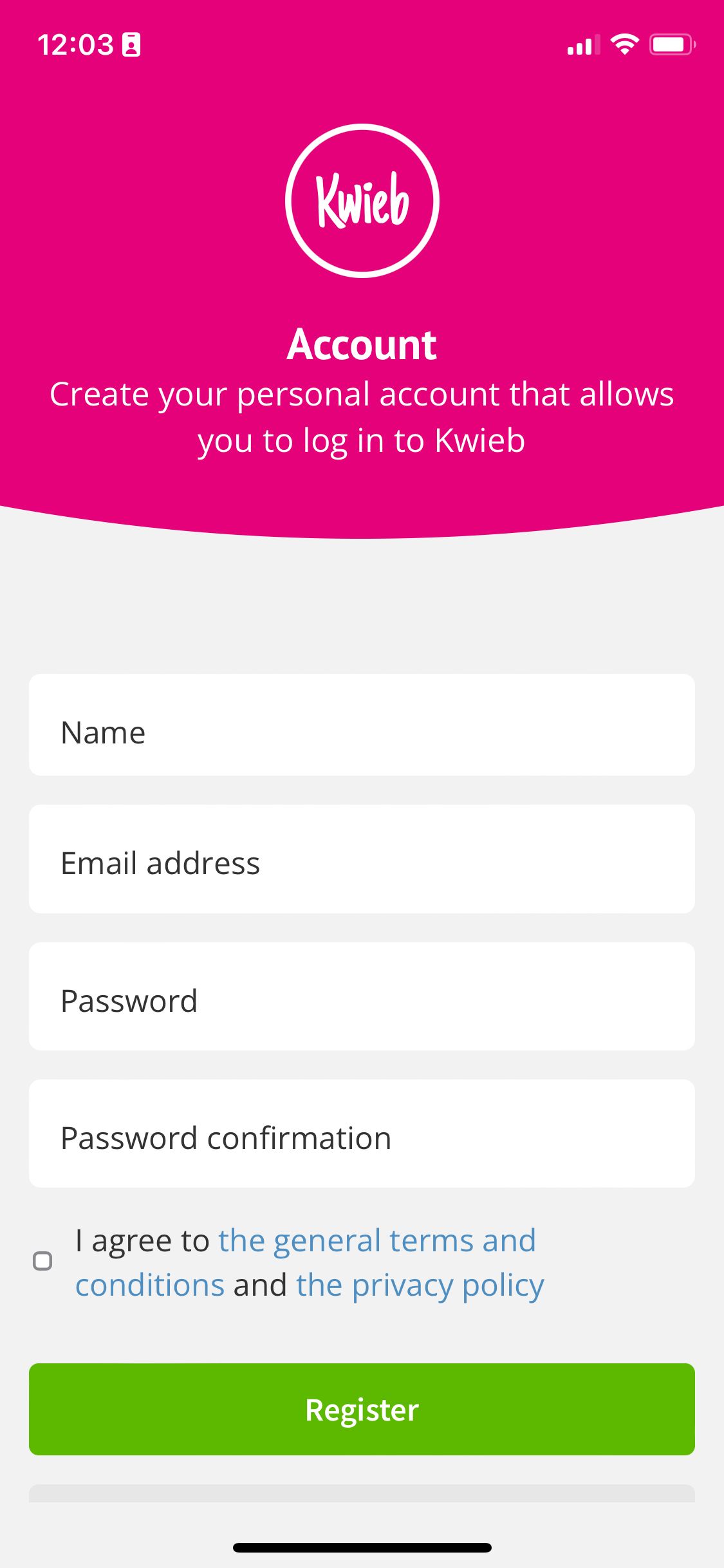
Register account
If you already have an account, you can click on log in , otherwise click on register account .
Enter your name, e-mail address and create your own password. Agree to the general terms and conditions and the privacy policy and click on register.
Note: You will receive an email from Ziber to confirm/activate your new account. You must complete this within one hour of registration or your account will be deactivated.
Privacy settings
After creating your account you can set your privacy settings.
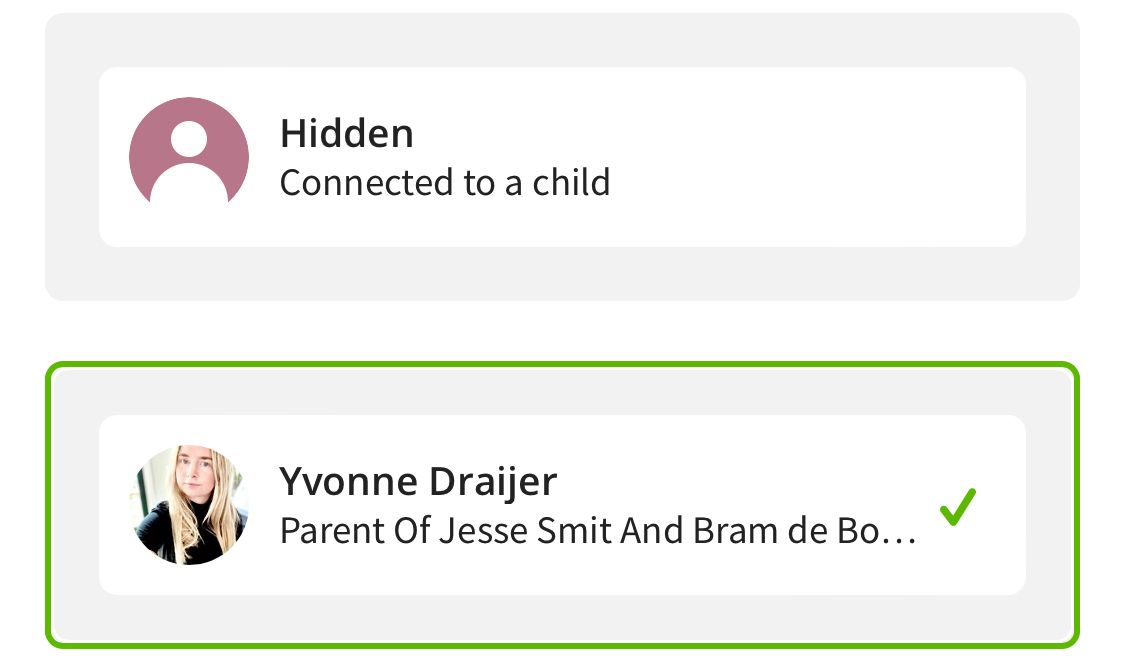
Tip: If you don't set your privacy settings, your name will default to "Protected" from other users of Kwieb.
Note:When your account is on hidden, not all functions work, such as public comments.
Connect your child
I don't see anything in Kwieb yet? When you have created an account, you can then link your child(ren) to your account. This is done via an invitation with an unique code that the school sends to you by e-mail or by letter .
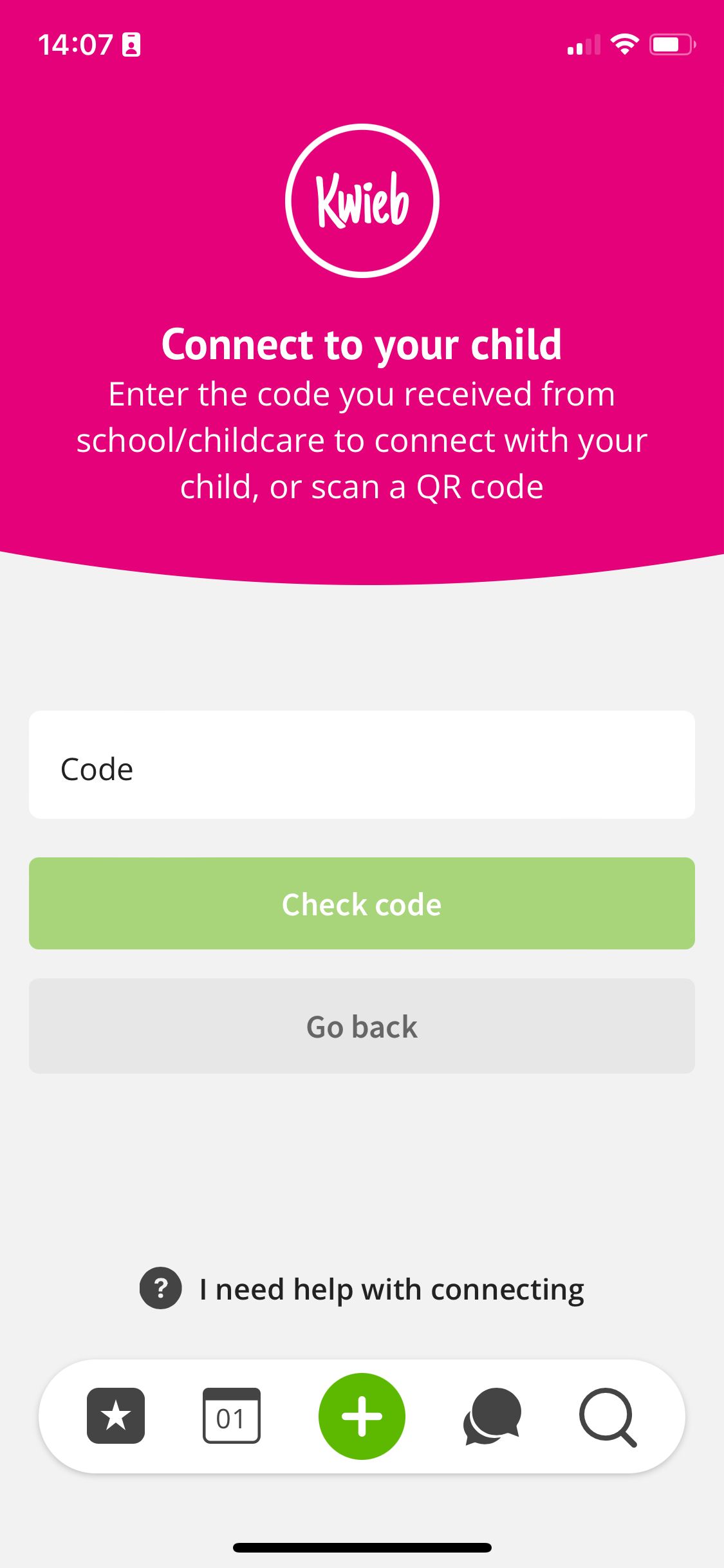
Tip: Please note that the code is valid for 14 days. If the code is no longer valid, you can request a new code from your school or daycare.
Tip: The code is unique and can only be used once. If you need an additional code, you can request one from your school or daycare.
Language
Do you want to set a different language? Then read our article Set preferred language (translation function)