How can I check if someone has paid?
If you want to know whether a payment was successful, go to your activities in Ziber Team.
Filter with the button "with orders" to see all activities that contain an order.
Select order
Go to the correct activity and click on the "order" button.

The order will then 'pop open' and you will see how many tickets have been sold (and how many may still be left):
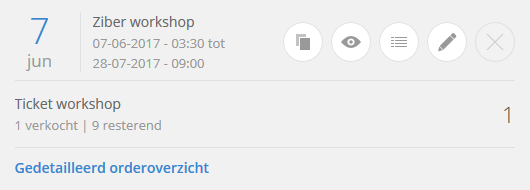
Click on 'Detailed order overview' to get an overview of all orders.
Payment overview
You get an overview of the purchases made by customers during your activity.
Payments can have 3 statuses, each with its own color:
Green - Green orders are paid online with iDEAL, or they are 'cash' orders that you have set to 'paid' yourself. So all successful orders.
Orange - An order receives the orange status when 'cash' has been chosen or when the iDEAL transaction has not yet been completed (this can take up to 1 hour).
Red - When an order has the red status, it has not been paid or has been cancelled.
You can immediately see from this status whether a payment was successful or not.
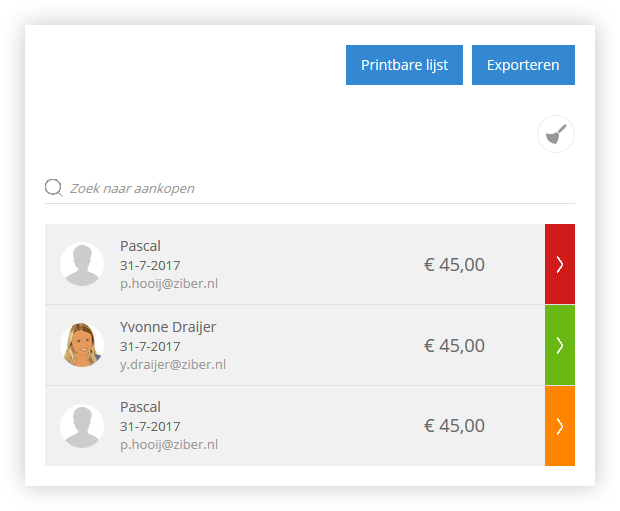
Click on the entire order line to expand it to see what the customer has bought:
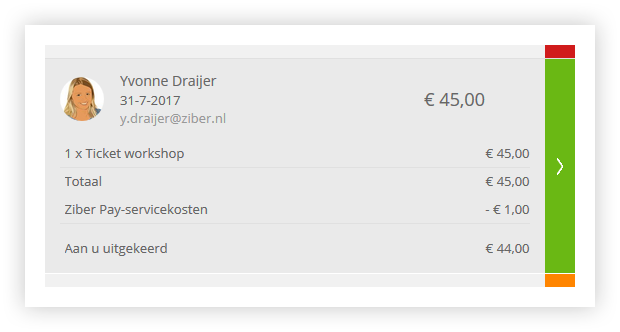
Click on the arrow in the colored area behind the order to go to the complete specifications of the order:
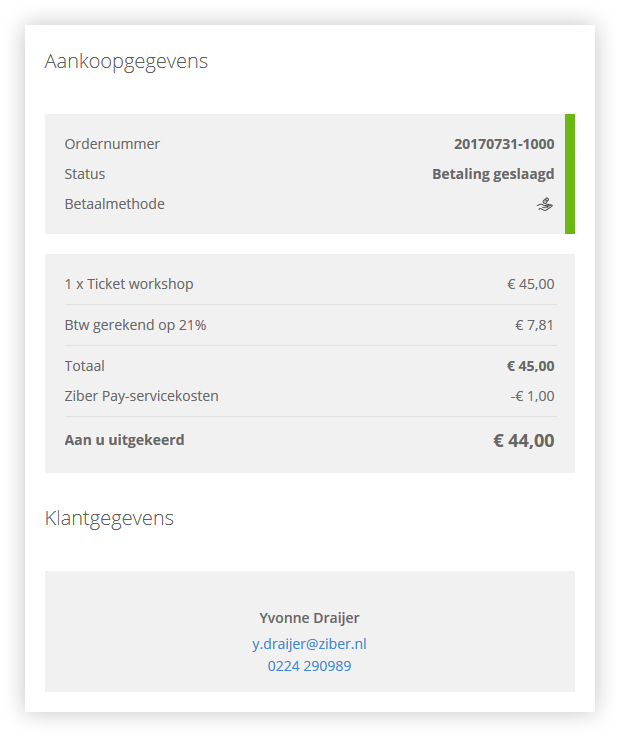
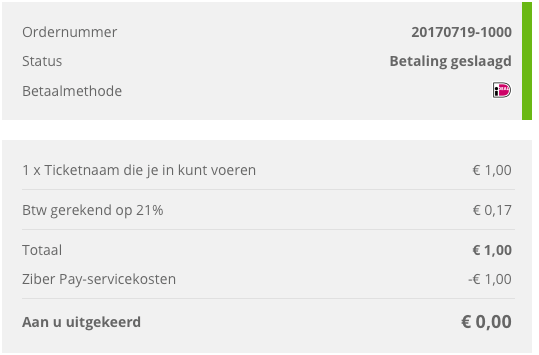
Payment successful
If a payment is successful, it will be green. The amount is then paid by the customer.
First you will see the order number and the payment method.
You will then receive an overview of the purchase and the amount that will be paid out to you.
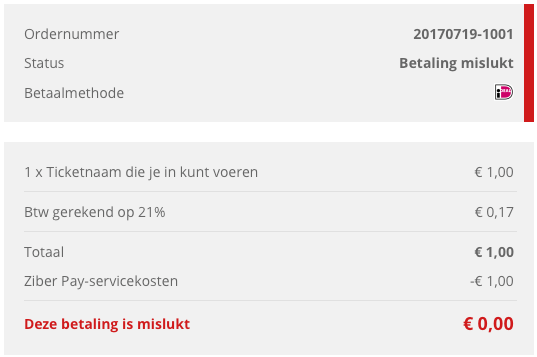
Payment failed
If a payment has failed, it will be red. The amount has not been transferred by the customer. This can be for various reasons, for example the customer has canceled the payment.
Clear unpaid/successful orders
Delete unpaid orders? Then click on the dustpan and all unpaid purchases will be deleted.
